Last Updated On: 01-11-2022

English | Chinese 中文 | Arabic عربي

Iphone/Ipad-user

Quick navigation


Download APP


Dear user, if your Apple device (iphone/ipad) is from China.
The (Apple) App Store does not allow you to download apps directly.
You need to download the application in a special way.

Install apps using our Apple ID and password
Click here

If you already have an apple id from a foreign region, use it to install the application
Search app name: "potatso lite"
Click here


App Setup Instructions Guide

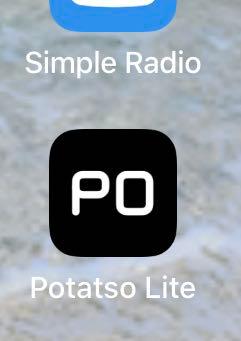
After downloading, click the icon below according to the icon you see in your iphone/ipad.

Verison 1 Potatso Lite App Verison 2 Potatso Lite App


New Version of Installation Guide

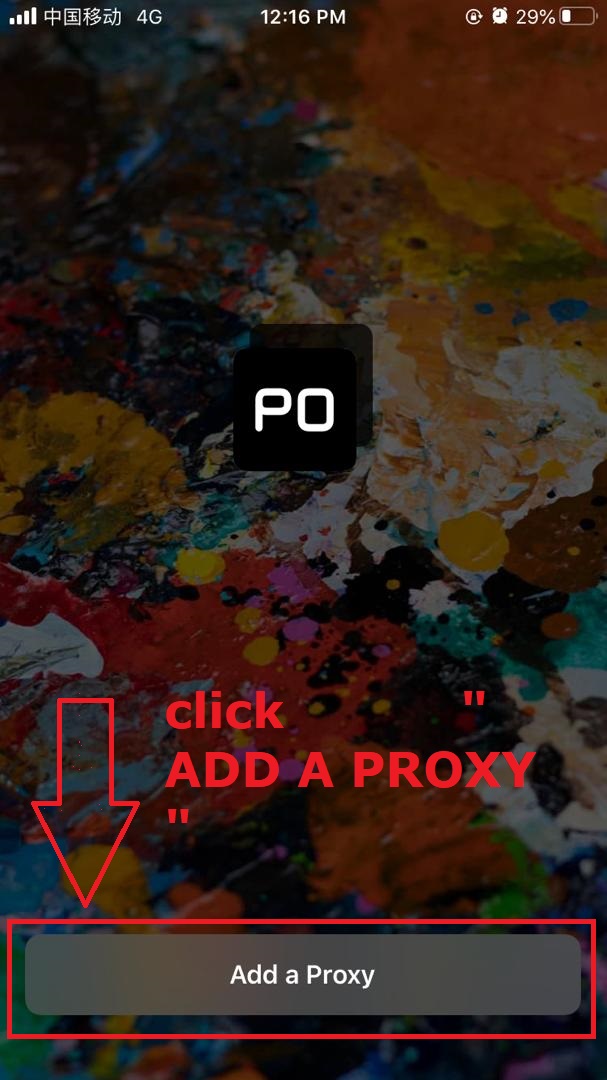
Step 1 of 5

After installing the application in the phone -> click the icon to open the application

step-1 Iphone

Step 2 of 5

Click -> "Add Proxy"

step-1 Iphone

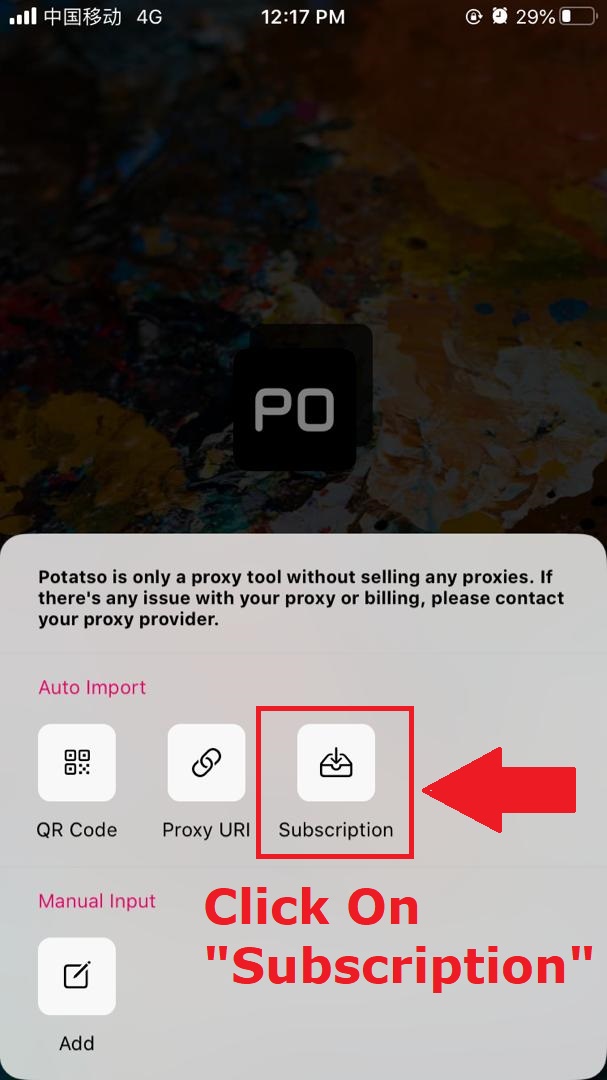
Step 3 of 5

Click tap -> "Subscribe" button

step-2 Iphone

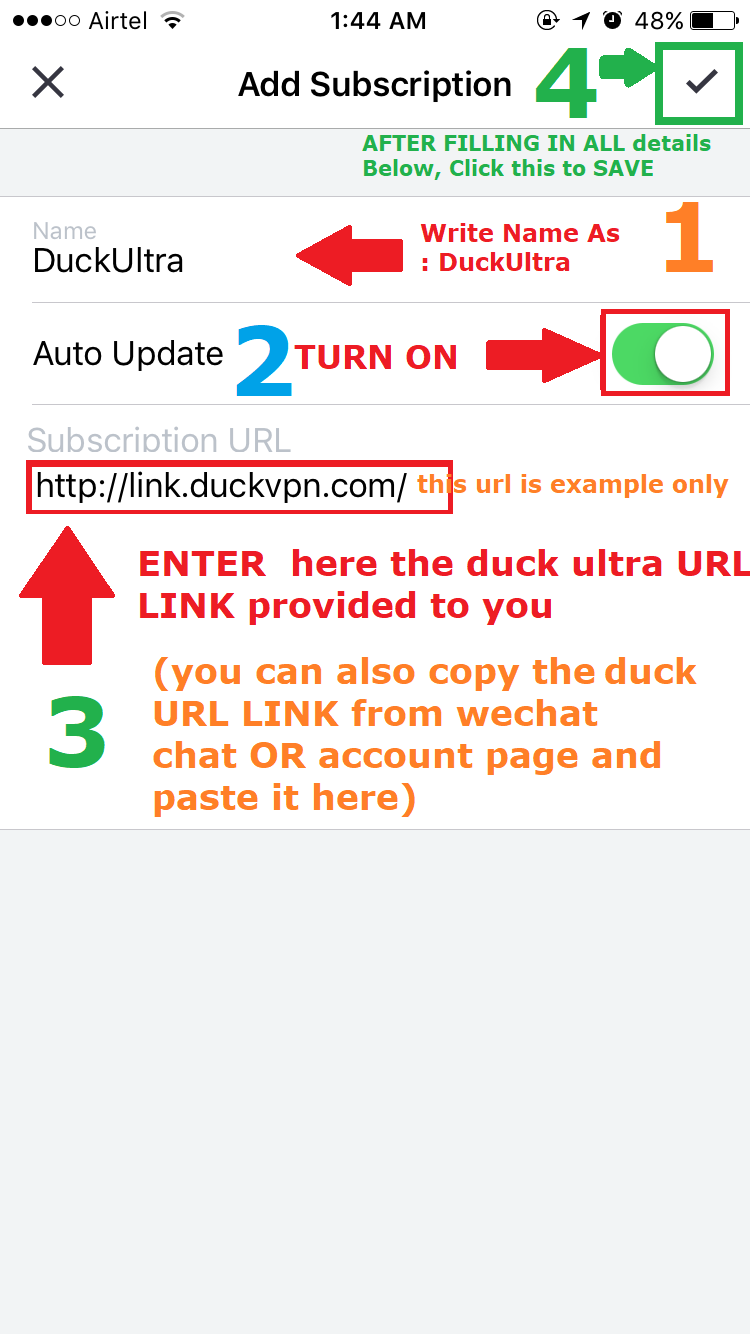
Step 4 of 5

->Enter the subscription "URL" link according to your account

step-3 Iphone

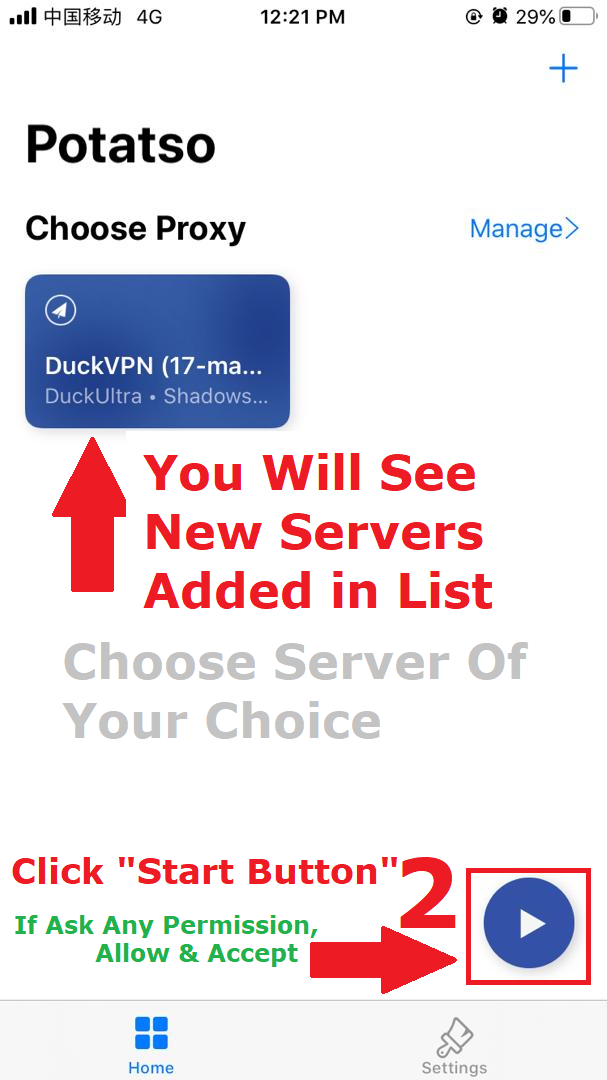
Step 5 of 5

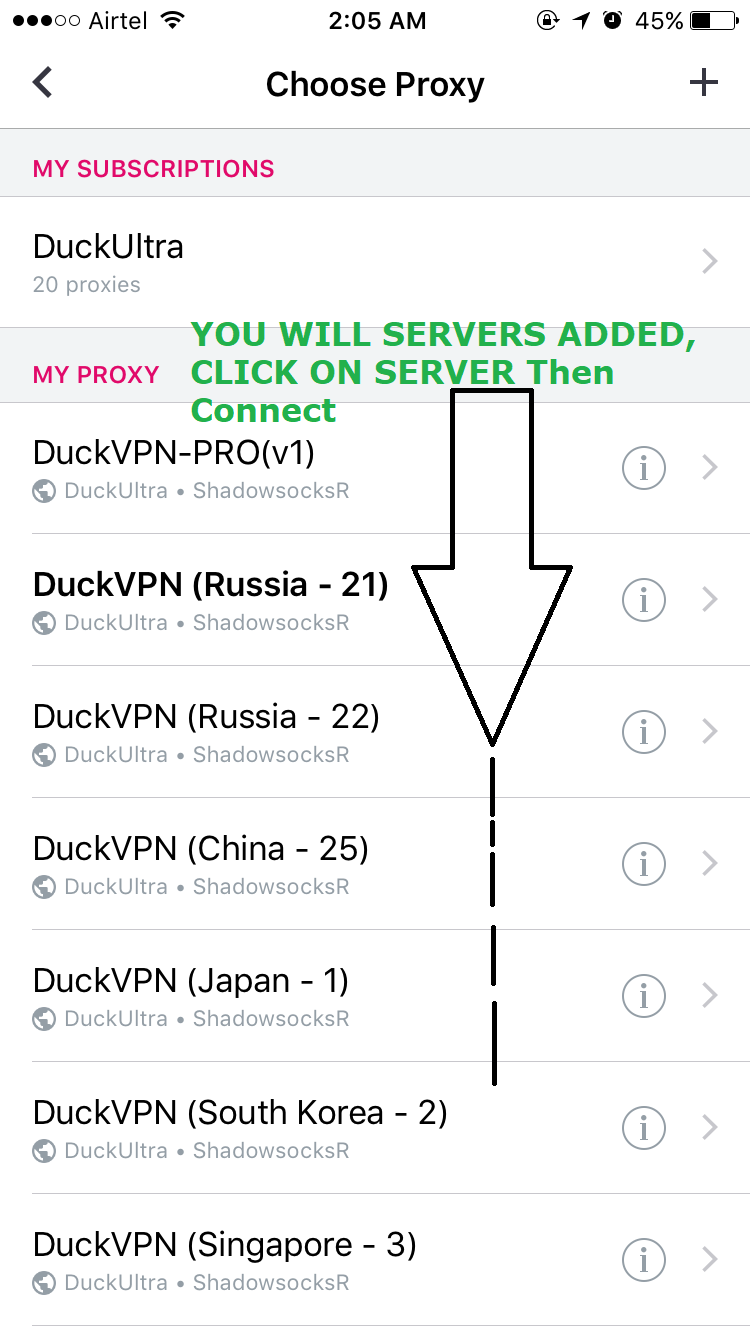
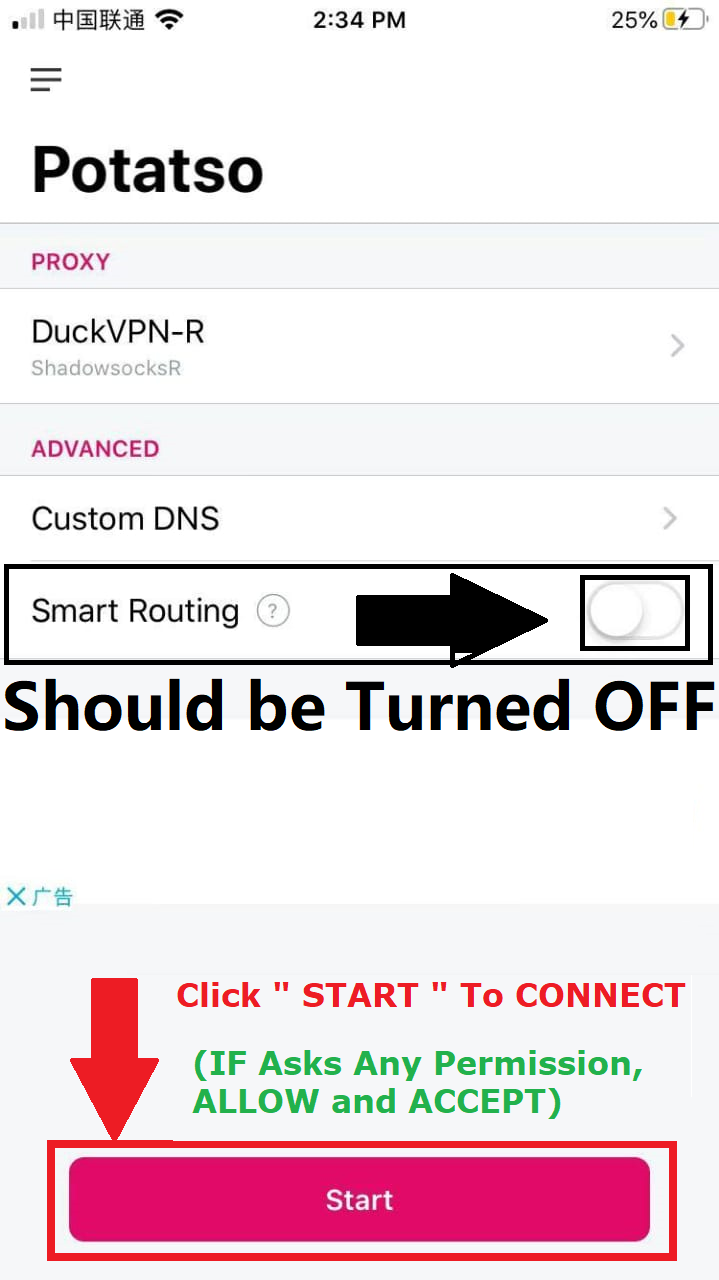
Choose the recommended server -> click the "Connect" button
(if any permission is requested, please allow and accept all)

step-4 Iphone

Installation Guide Old Version

Step 1 of 7

Once the app is installed on your phone -> tap the icon to open the app

step-1 Android

Step 2 of 7

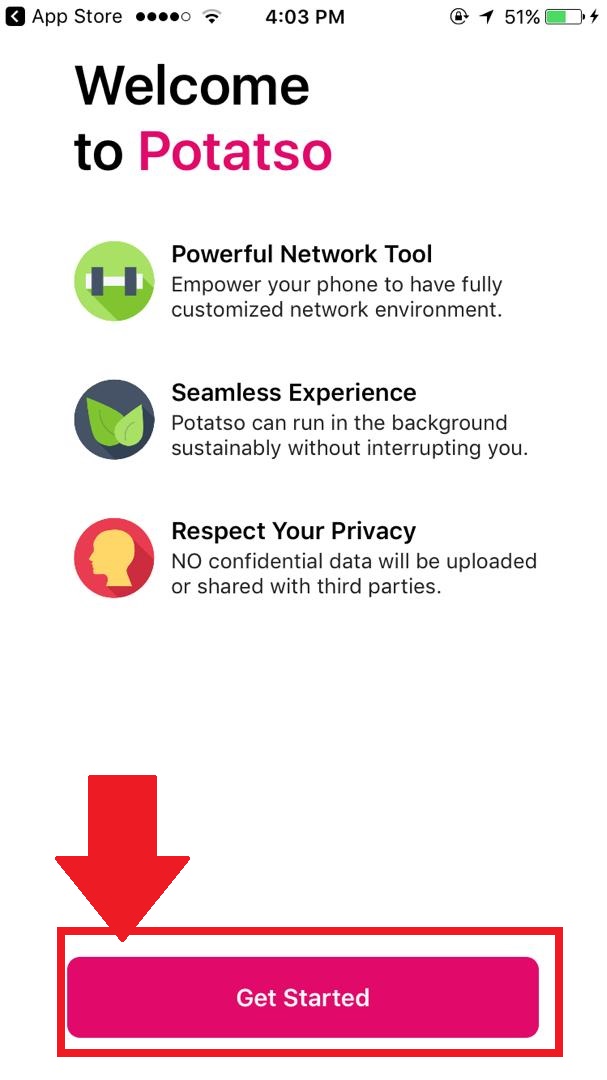
Click-> "Get Started"

step-2 Android

Step 3 of 7

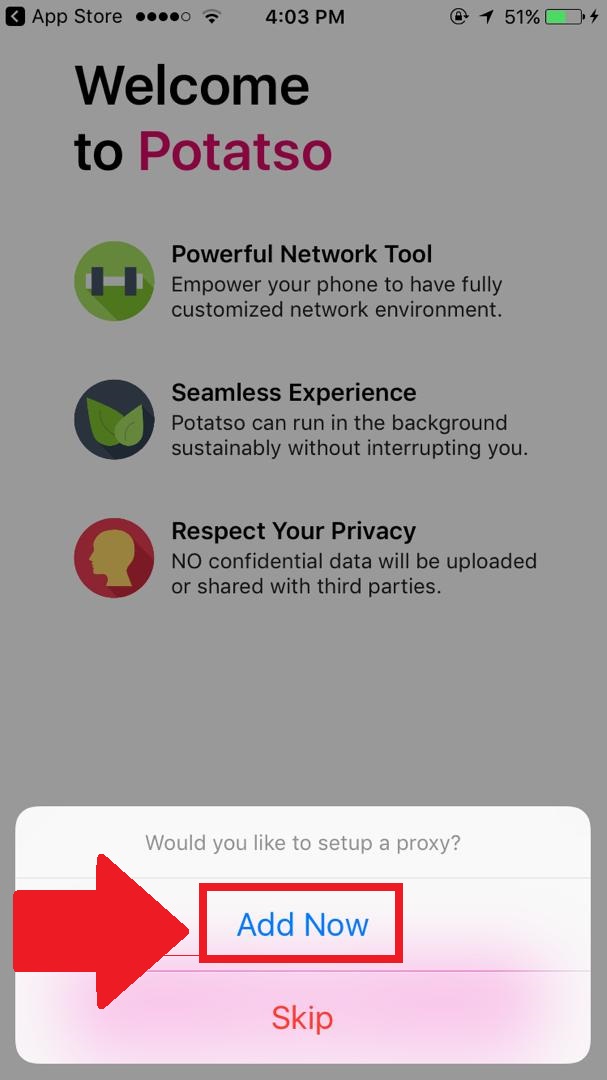
Click-> "Add Now"

step-3 Android

Step 4 of 7

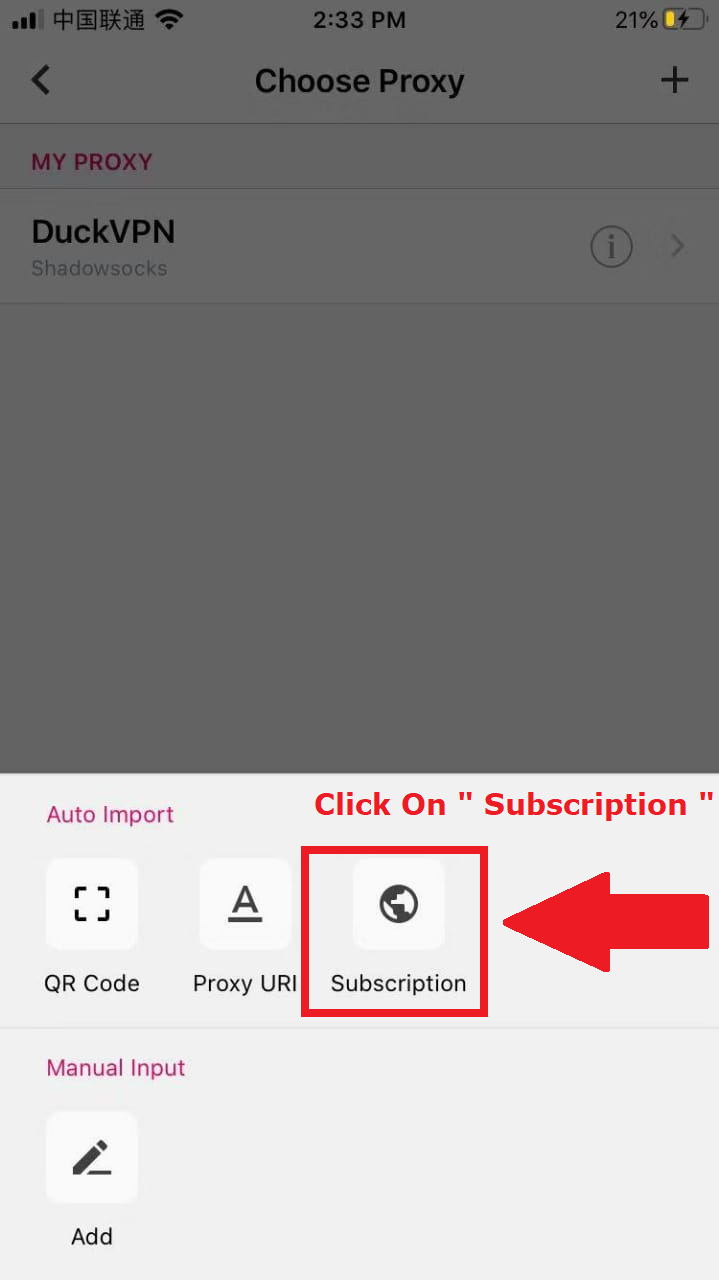
Click -> "Subscribe" button

step-4 Android

Step 5 of 7

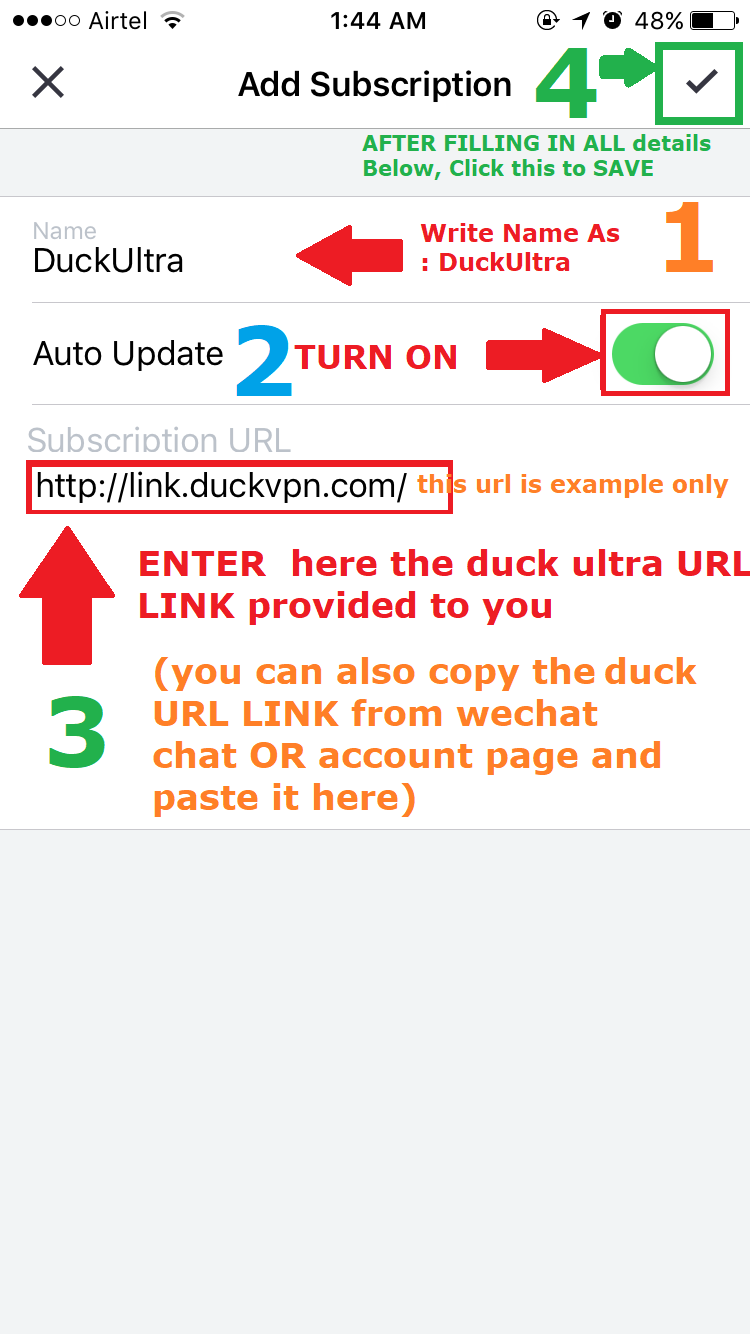
-> Enter the subscription "URL" link according to your account.

step-5 Android

Step 6 of 7

-> Select: Recommended Server, (USA-1) Preferred

step-6 Android

Step 7 of 7

-> Click the "Connect" button
(if any permission is requested, please allow and accept all)

step-7 Android