WINDOWS LAPTOP | COMPUTER-USER
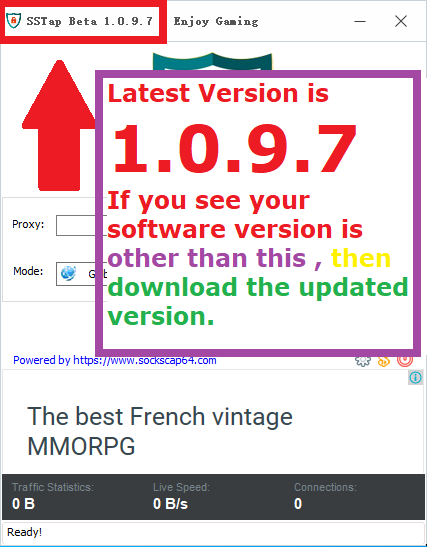
DOWNLOAD UPDATE WINDOWS [ SSTAP Version (1.0.9.7) ] APP (November 2022) Click Here
! After installation, check that you have the correct software version!
Step 1 of 5
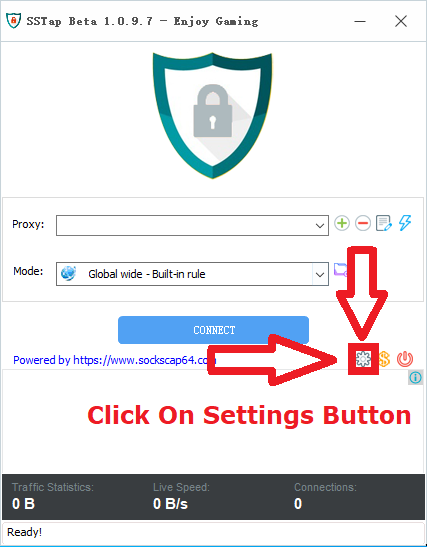
Open the app SSTAP -> Click: Settings Icon
Step 2 of 5
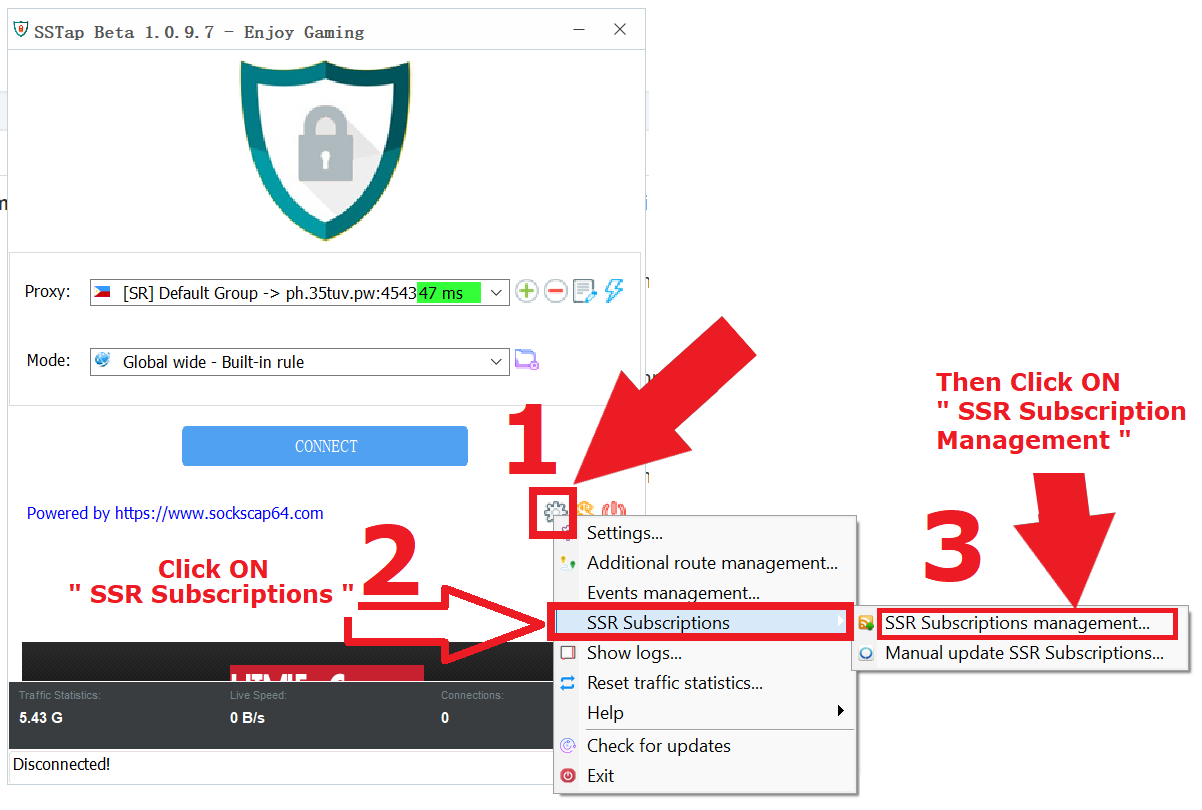
Open the app SSTAP -> Click: Settings Icon -> Select SSR Subscription -> SSR Subscription Management
Step 3 of 5
On the SSR subscription management page -> enter the subscription URL link according to your account -> select the frequency: every day -> and then save)
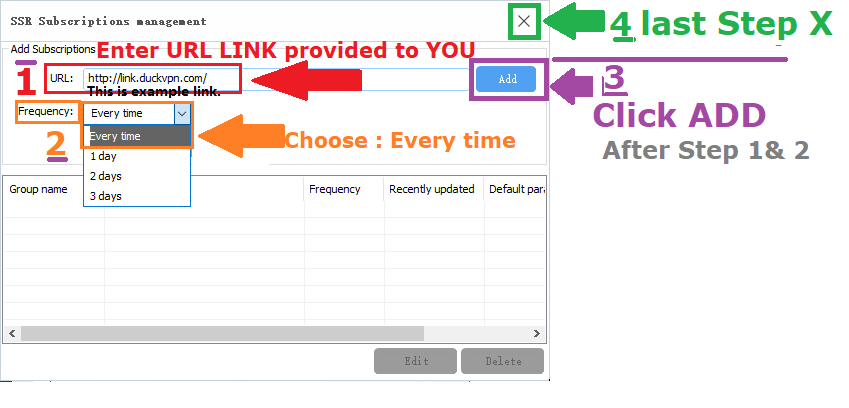
Step 4 of 5
-> You will see, a list of servers will be generated-> select the recommended server
(PC1 or PC2 or PC3 or PC4)
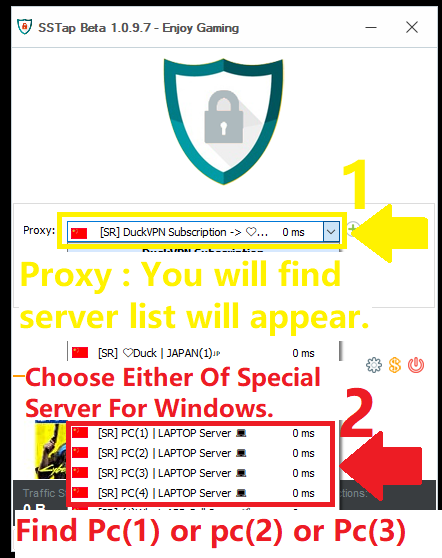
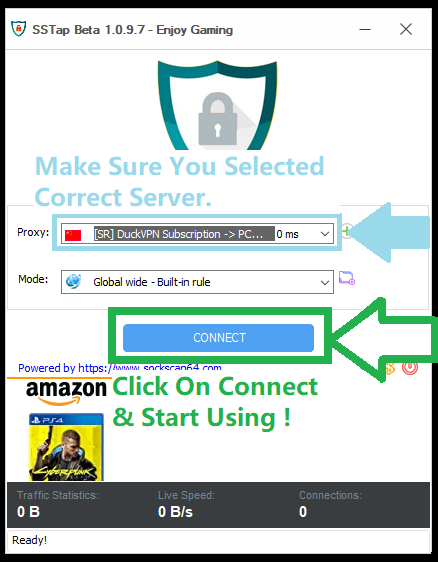
Step 5 of 5
-> Make sure, you have selected: Recommended Servers -> Click the Connect button