Last Updated On: 01-11-2022

English | Chinese 中文 | Arabic عربي

Android-User

Quick Navigation


Download APP Click here to download


Video guide

(double click on video to enlarge full screen)
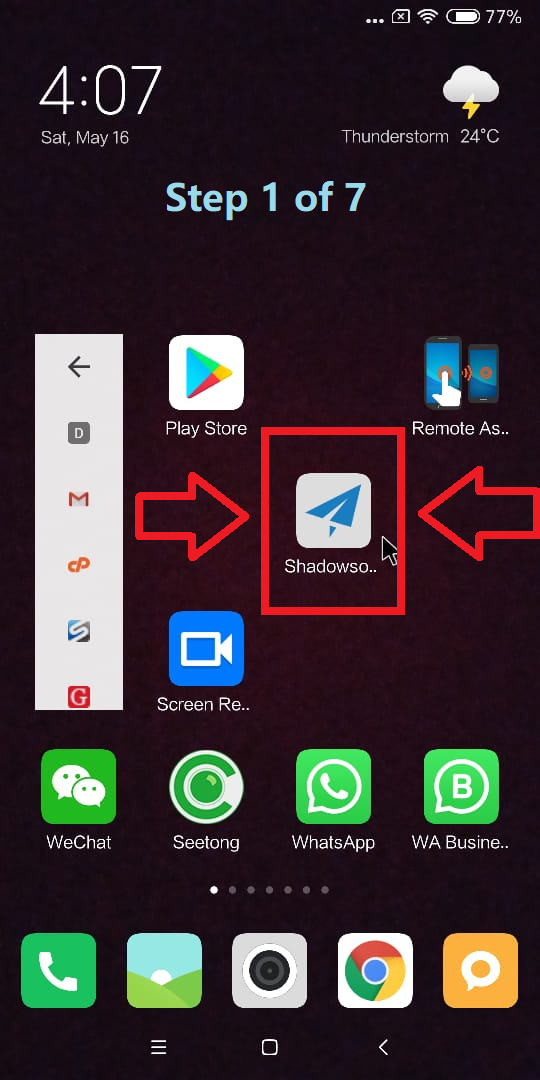
Step 1 of 7

After installing the app on your phone -> click the icon to open the app

step-1 Android

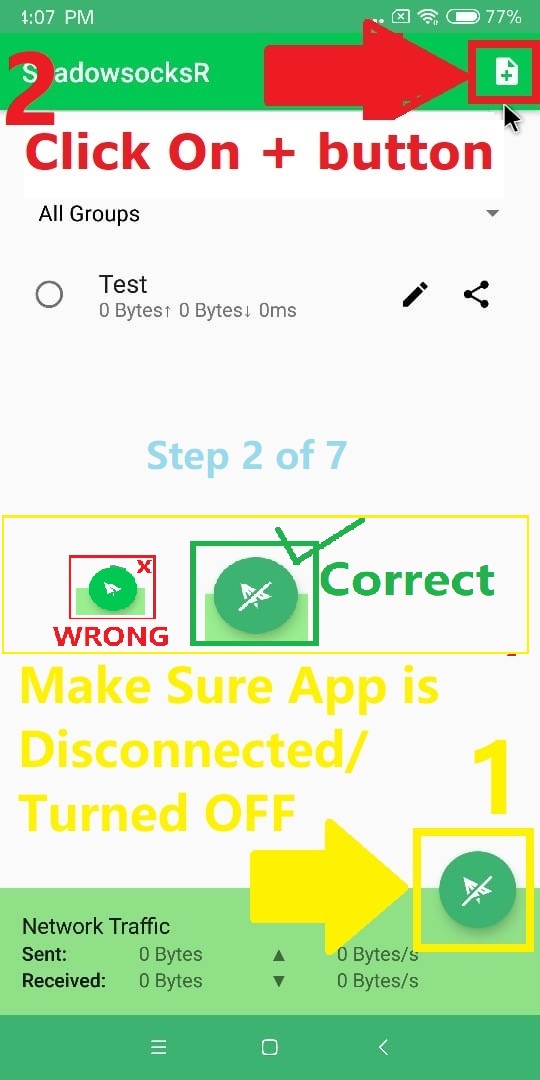
Step 2 of 7

After opening the app in your phone -> Make Sure Its Disconnected/Turned OFF -> click the "+" button

step-2 Android

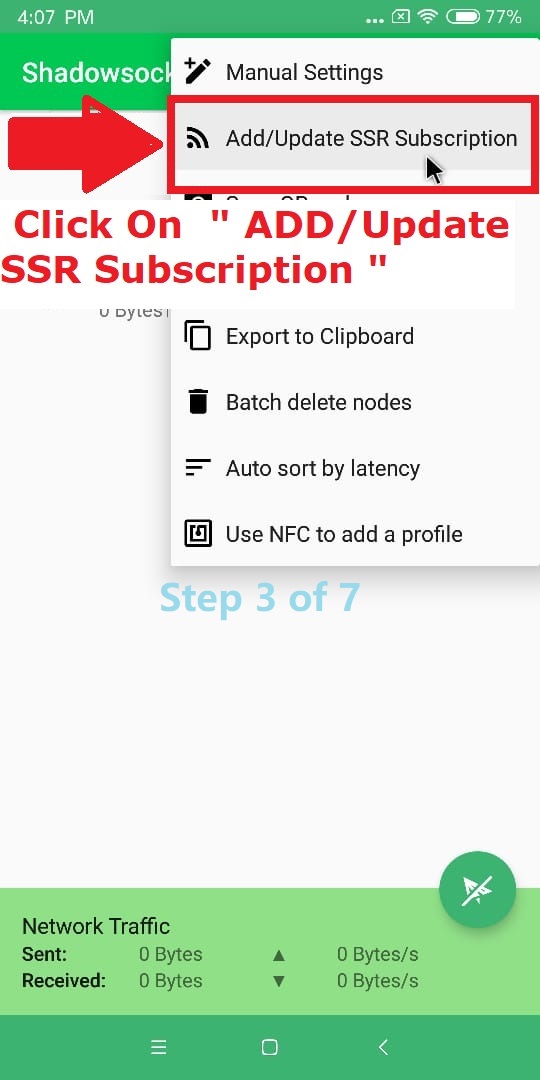
Step 3 of 7

Click -> "Add/Update SSR Subscription"

step-3 Android

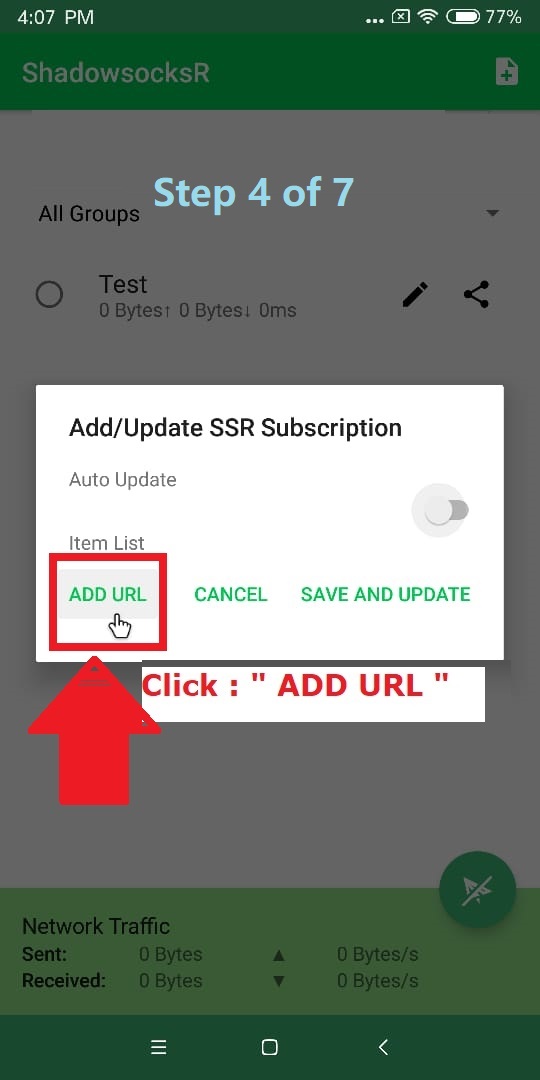
Step 4 of 7

Click -> "Add URL" button

step-4 Android

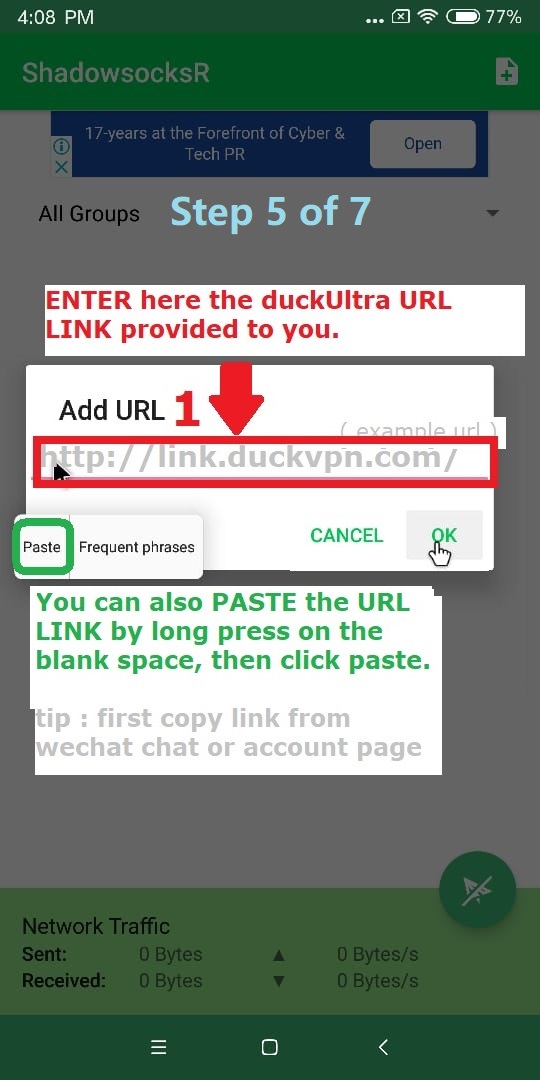
Step 5 of 7

Enter (copy/paste) your subscription URL link, provided to you -> Turn On Auto Update -> Click OK

step-5 Android

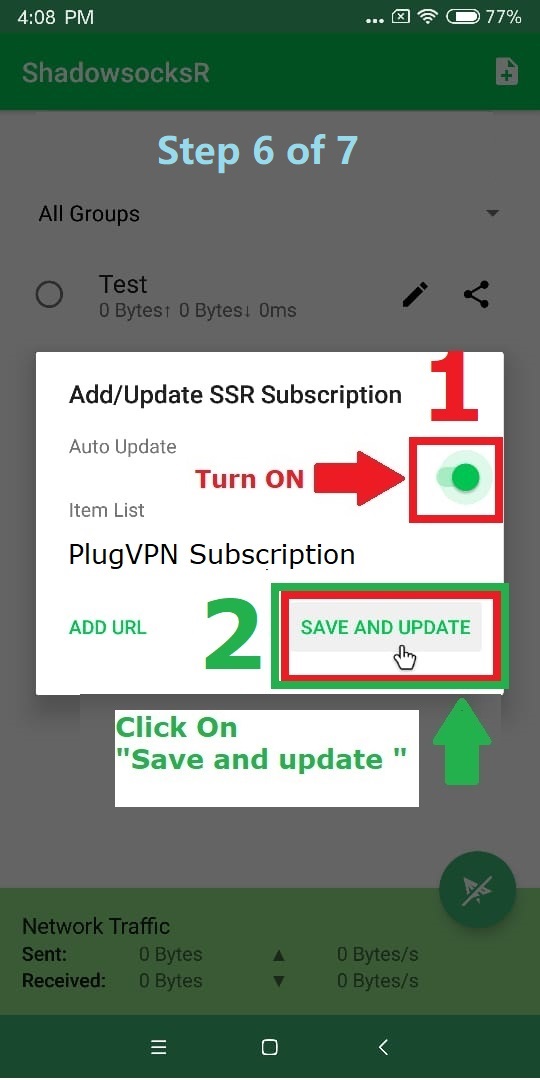
Step 6 of 7

Click the Open Update button -> Click Save and Update

step-6 Android

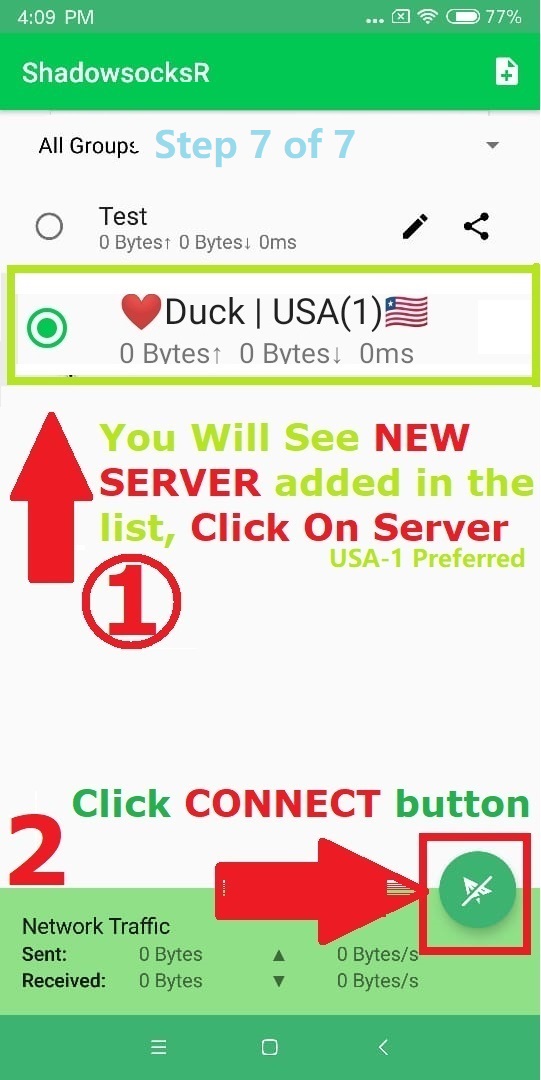
Step 7 of 7

-> You will see Servers list added, click to select recommended server -> then connect/Turn On ! If asked for any permissions allow and accept

step-7 Android