Iphone/Ipad-user
Step 1 of 12
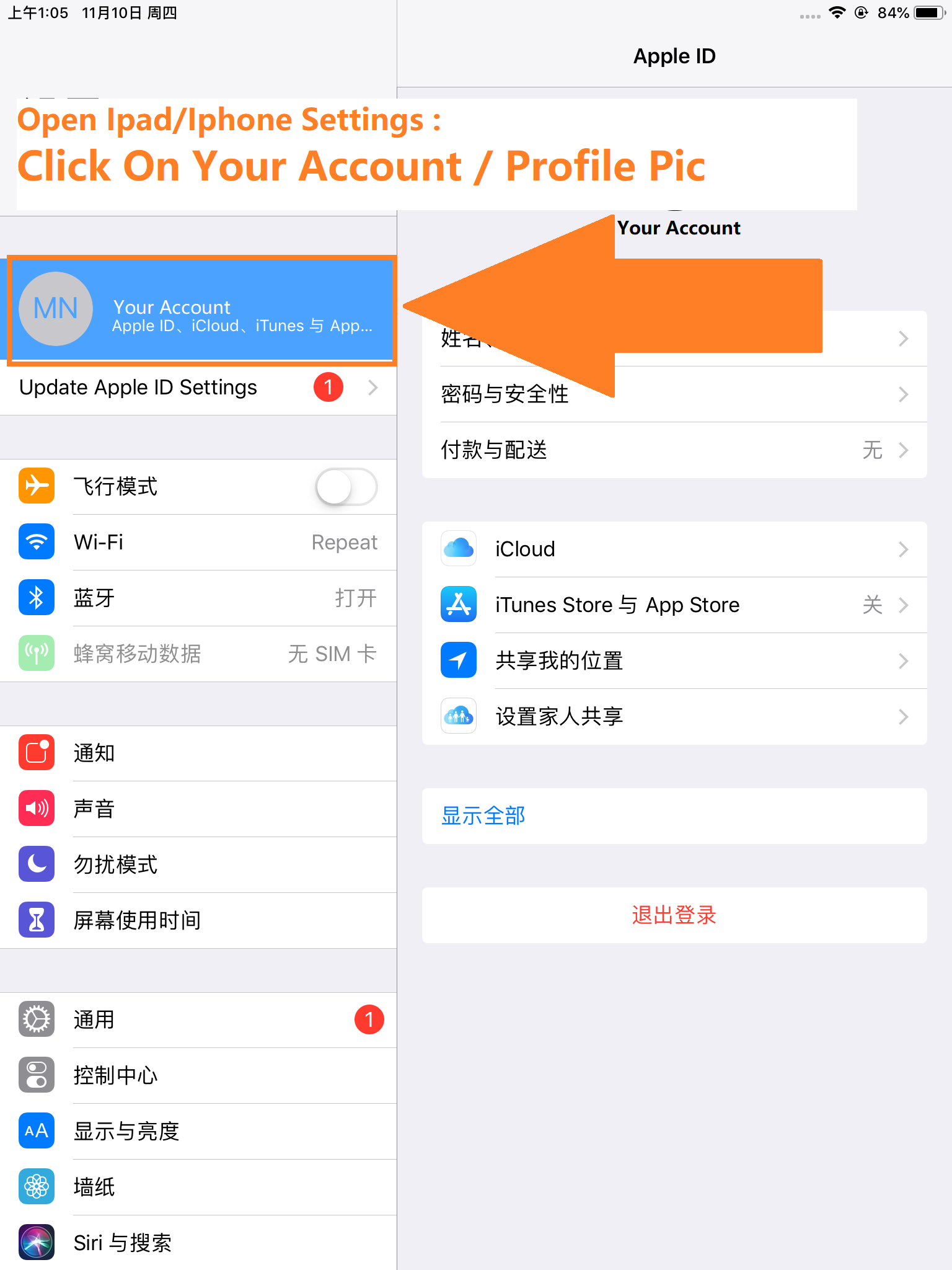
Open your Ipad/Iphone settings -> click on your account/profile picture
Step 2 of 12
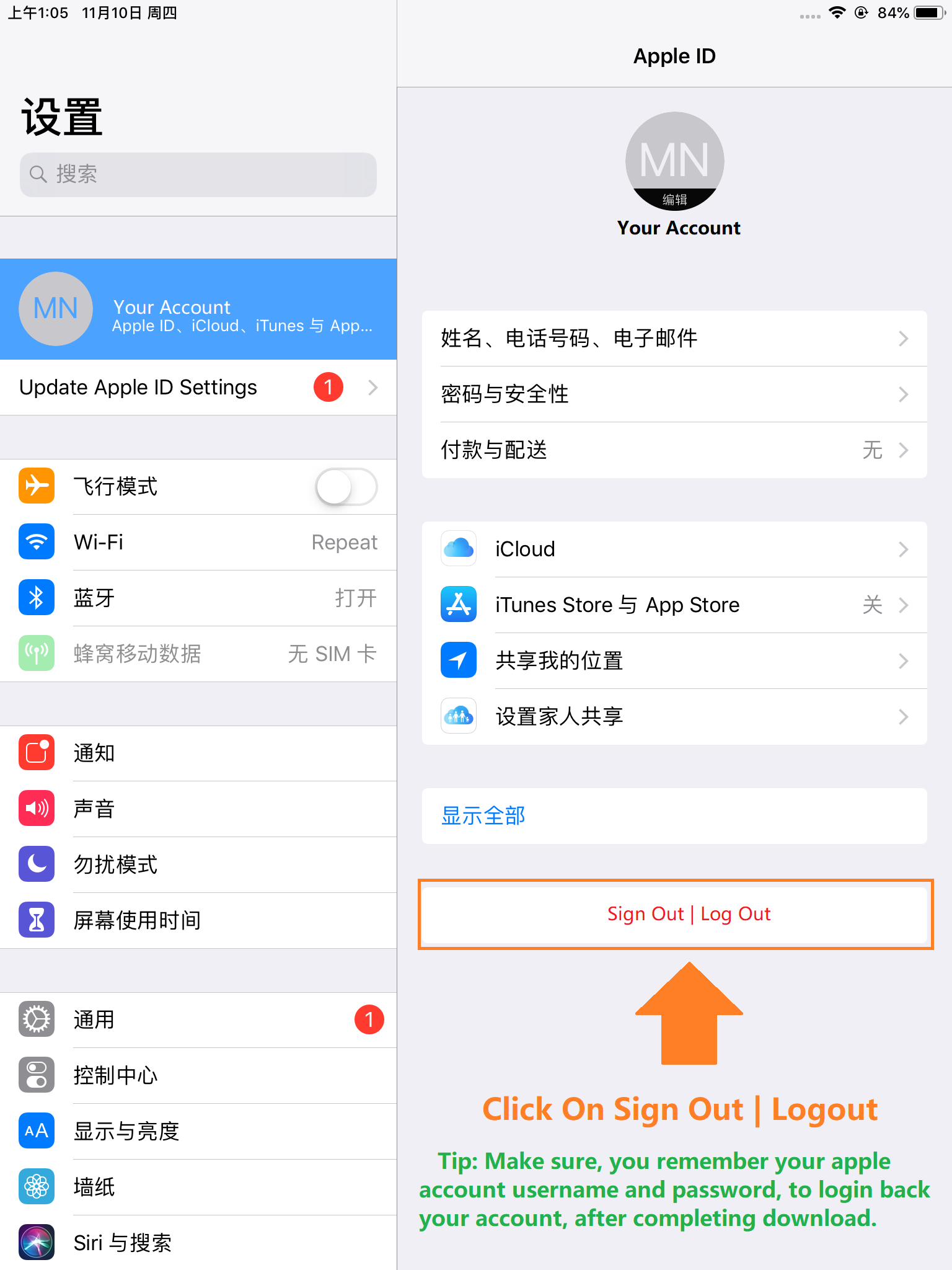
On the account page -> scroll to the bottom of the page (logout)
Step 3 of 12
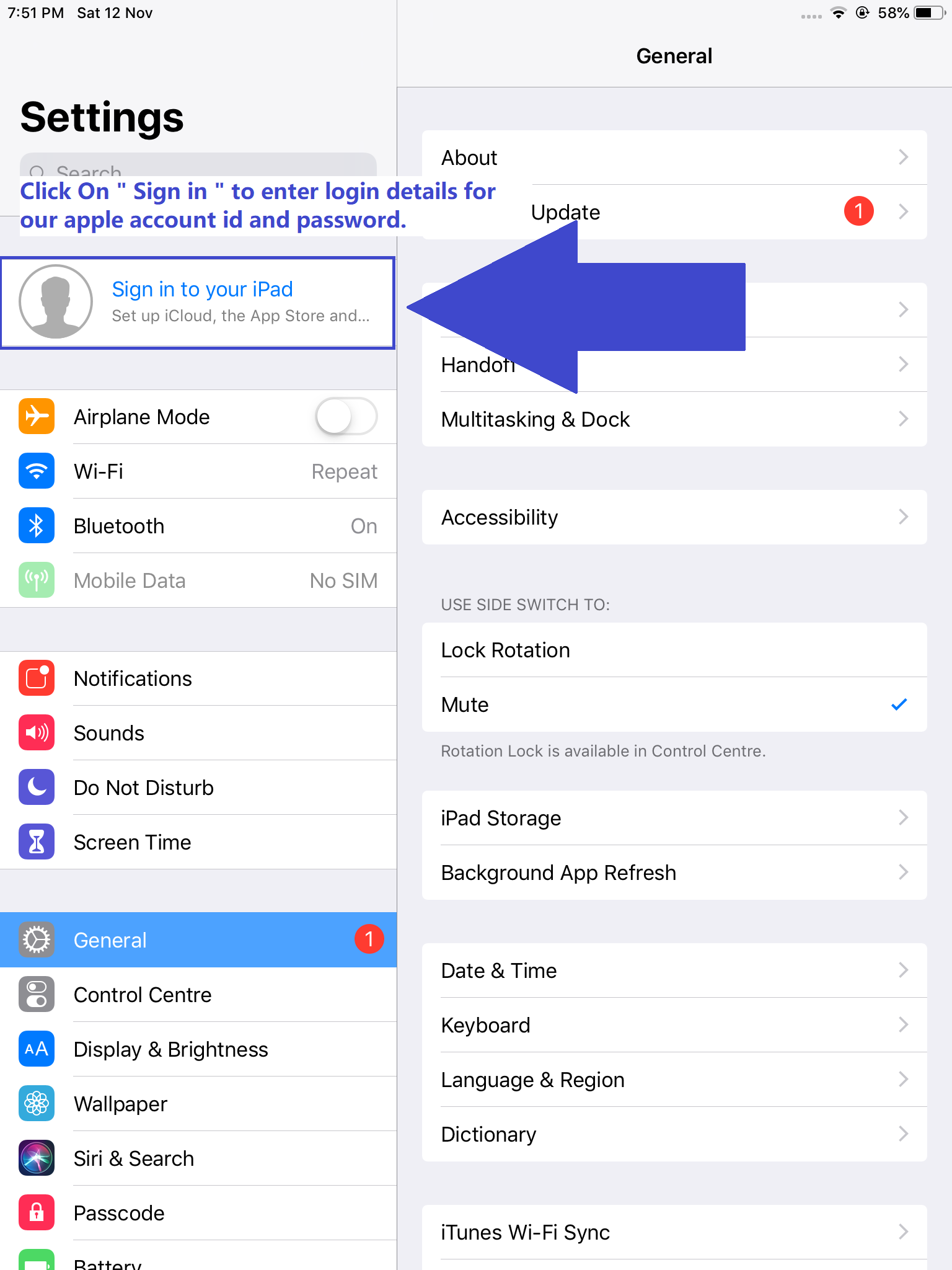
Under Settings -> click on sign in
Step 4 of 12
-> Enter our Apple ID and password to log in
(ASK support/agent for apple id details)
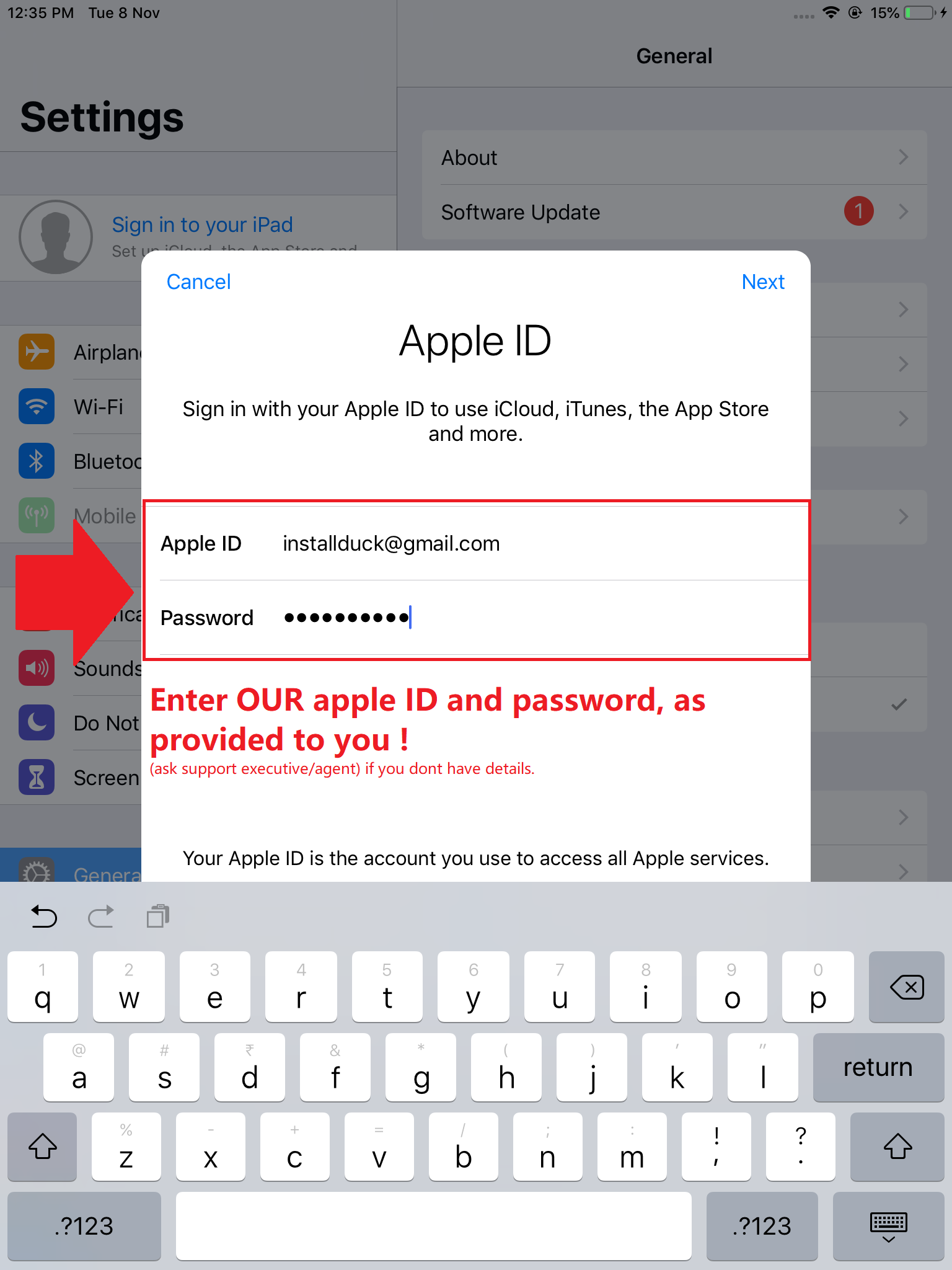
Step 5 of 12
Prompt: Apple ID verification code -> Click: Didn't Get A Code ?
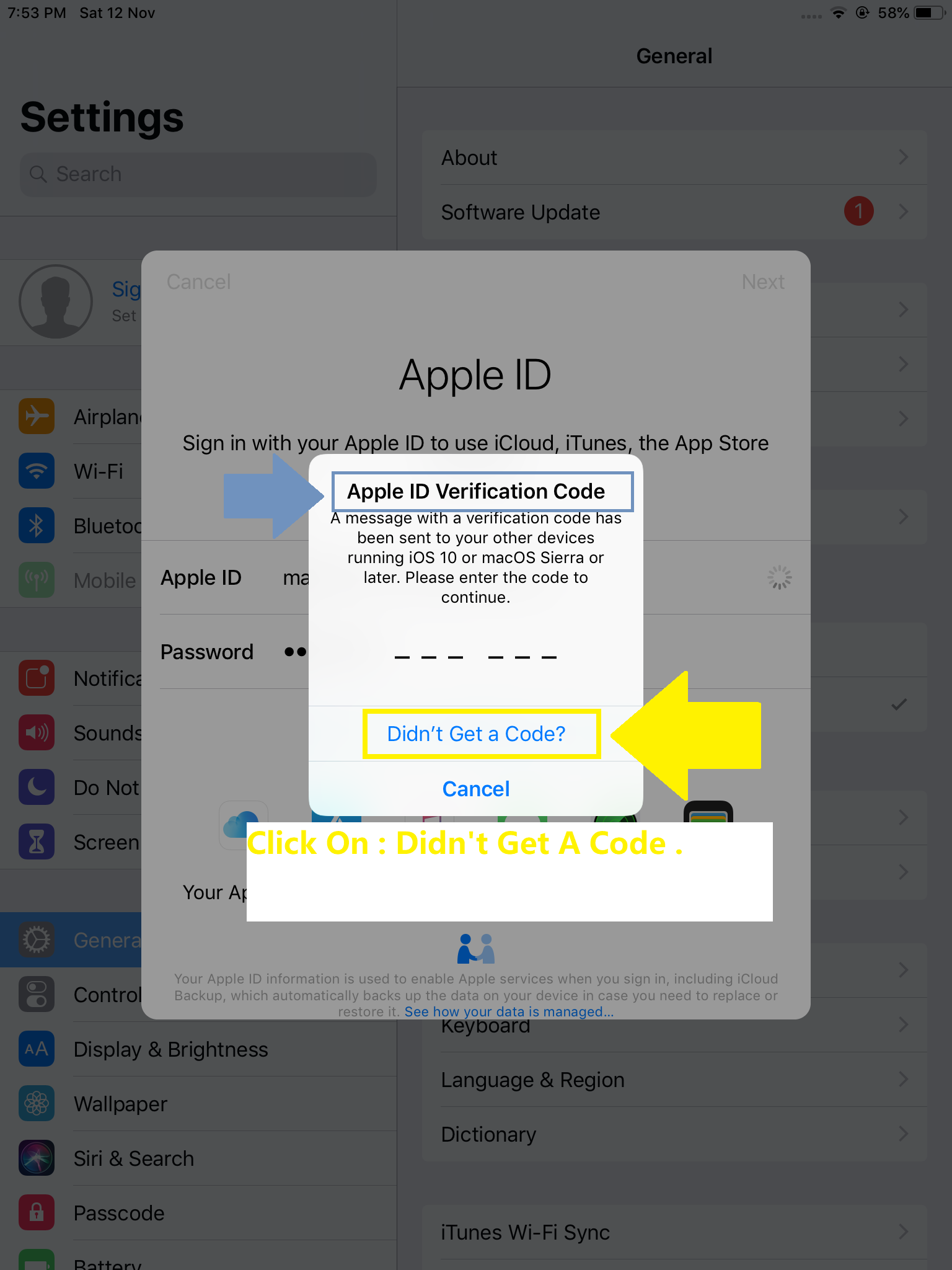
Step 6 of 12
Prompt: Didn't receive the code? -> Click : Text code to....04 (ends with 04)
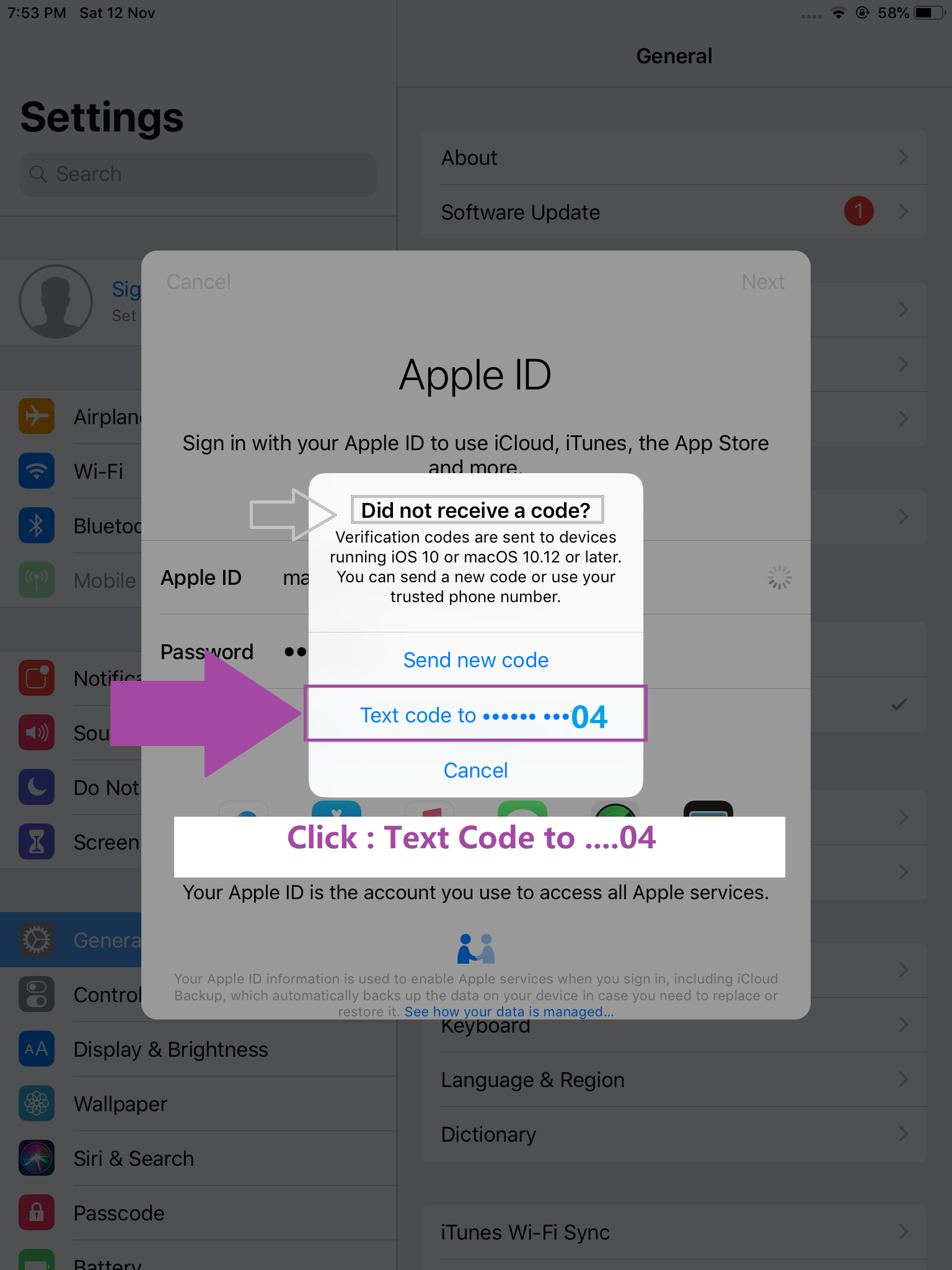
Step 7 of 12
Prompt: Two-factor authentication -> Enter (SMS verification code) | (please ASK support/agent)
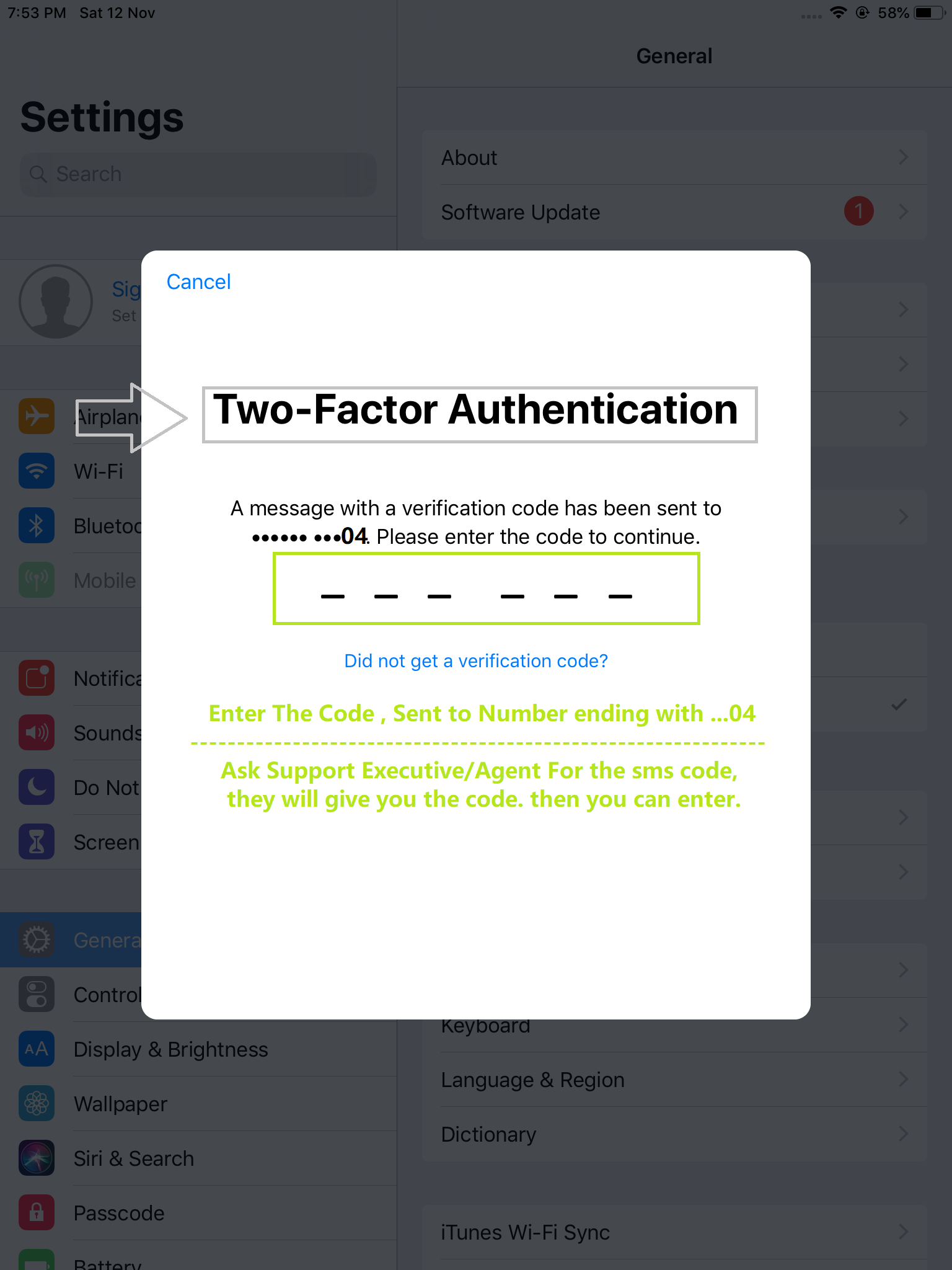
Step 8 of 12
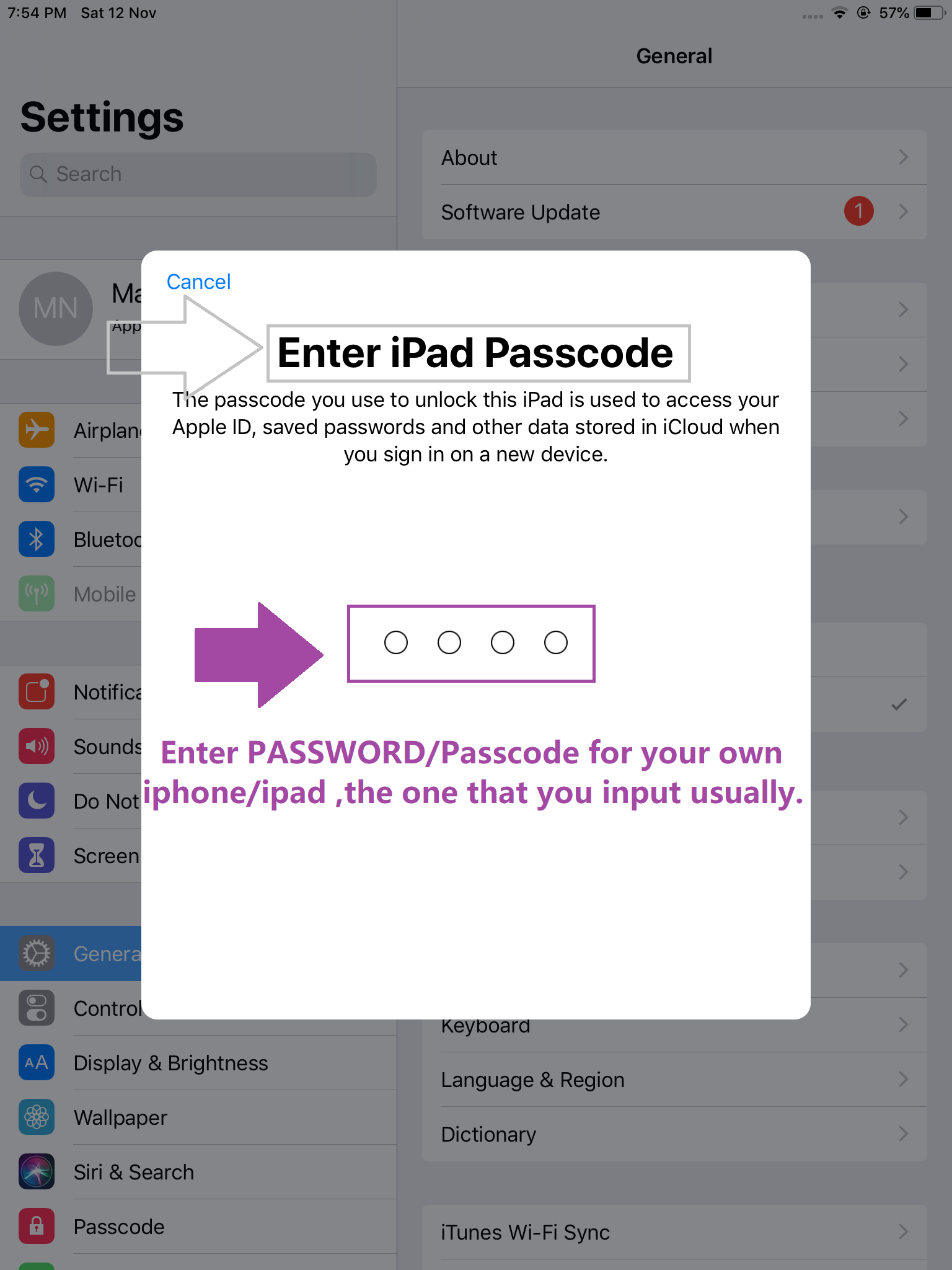
Prompt: if it asks for iphone/ipad passcode -> Enter your own iphone/ipad passcode
Step 9 of 12
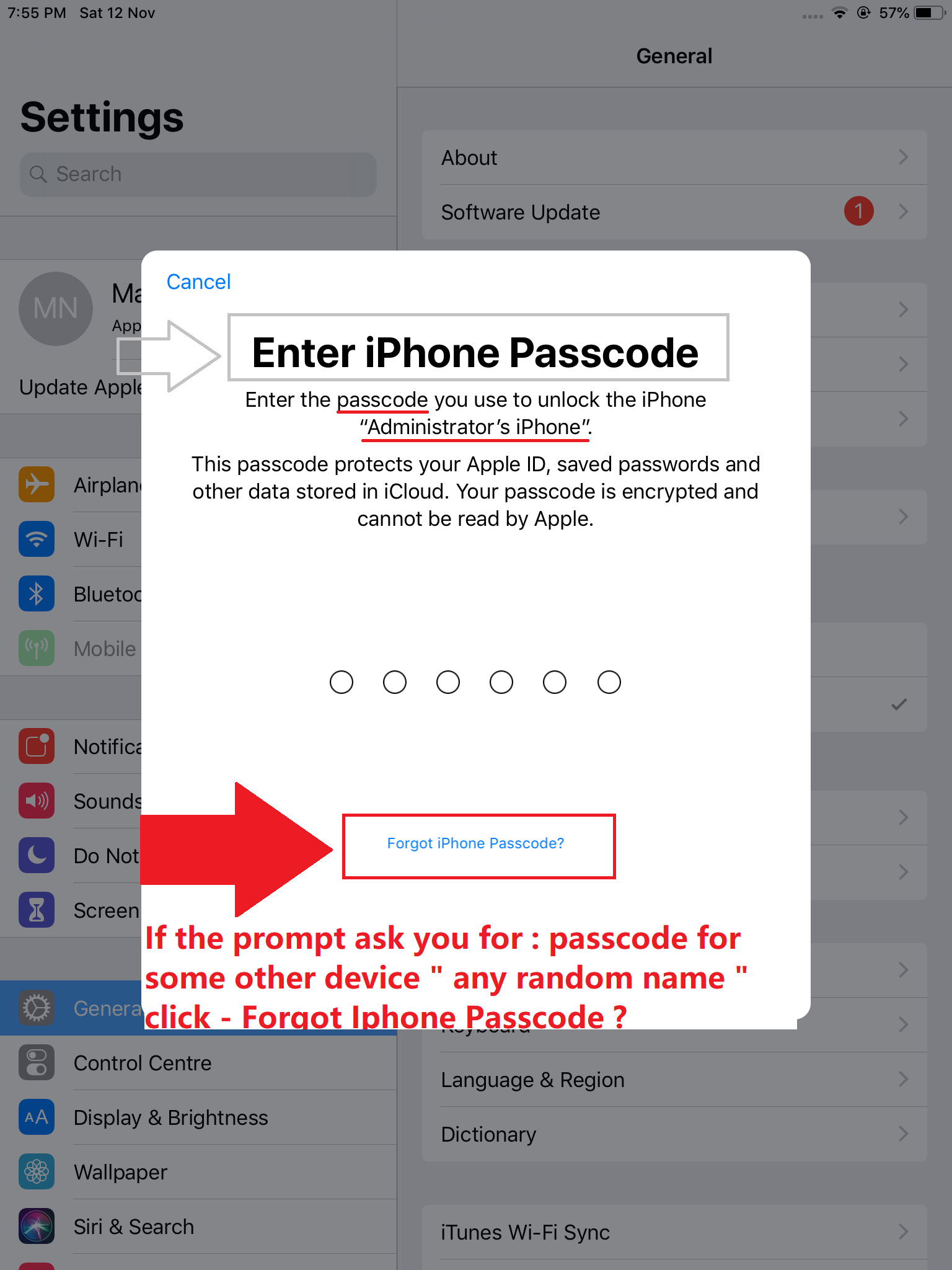
Prompt: if it asks for iphone passcode -> "random device name" -> select "forgot iphone passcode"
Step 10 of 12
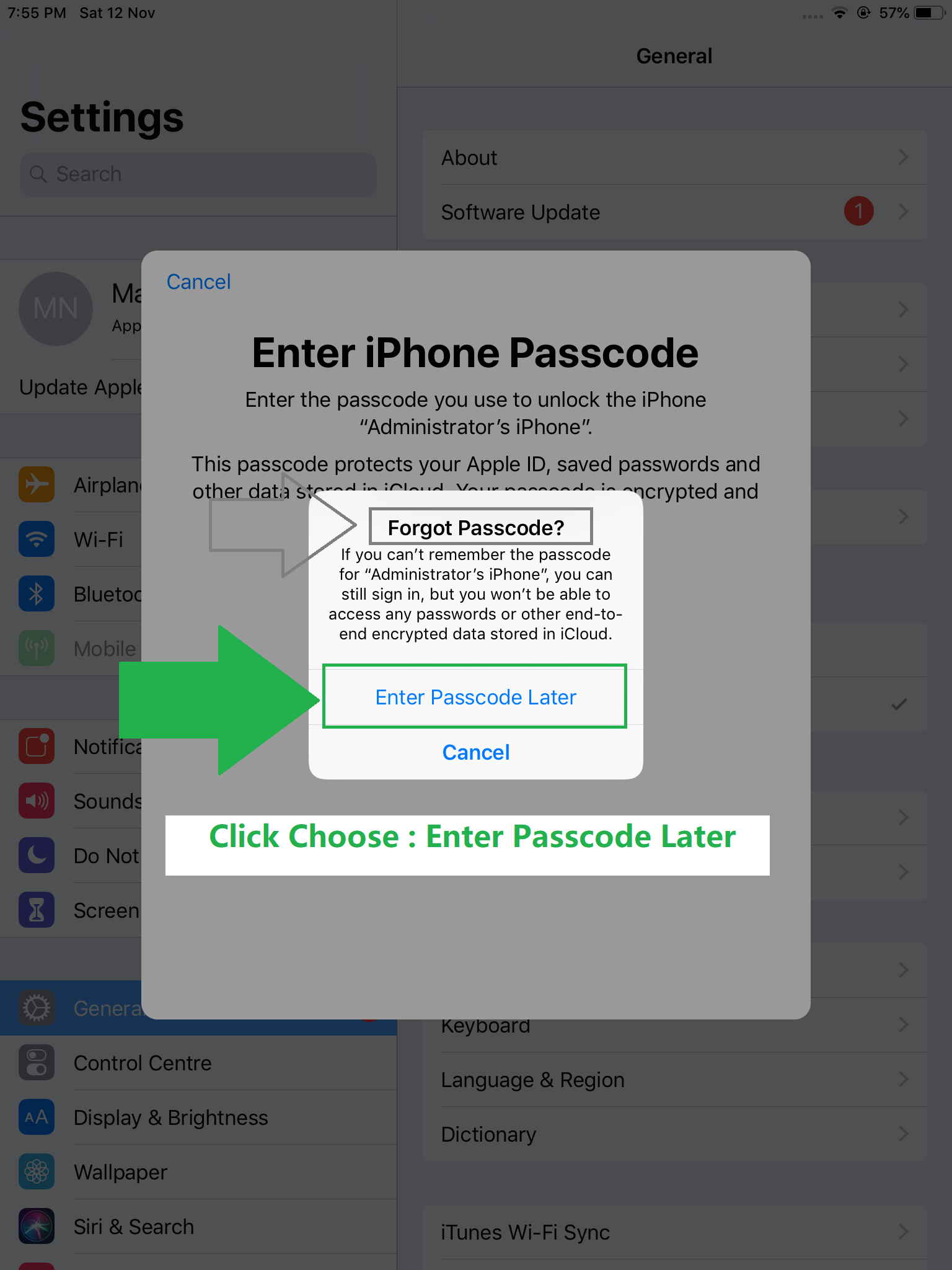
Prompt: Forgot passcode? -> "random device name" -> choose "Enter passcode later"
Step 11 of 12
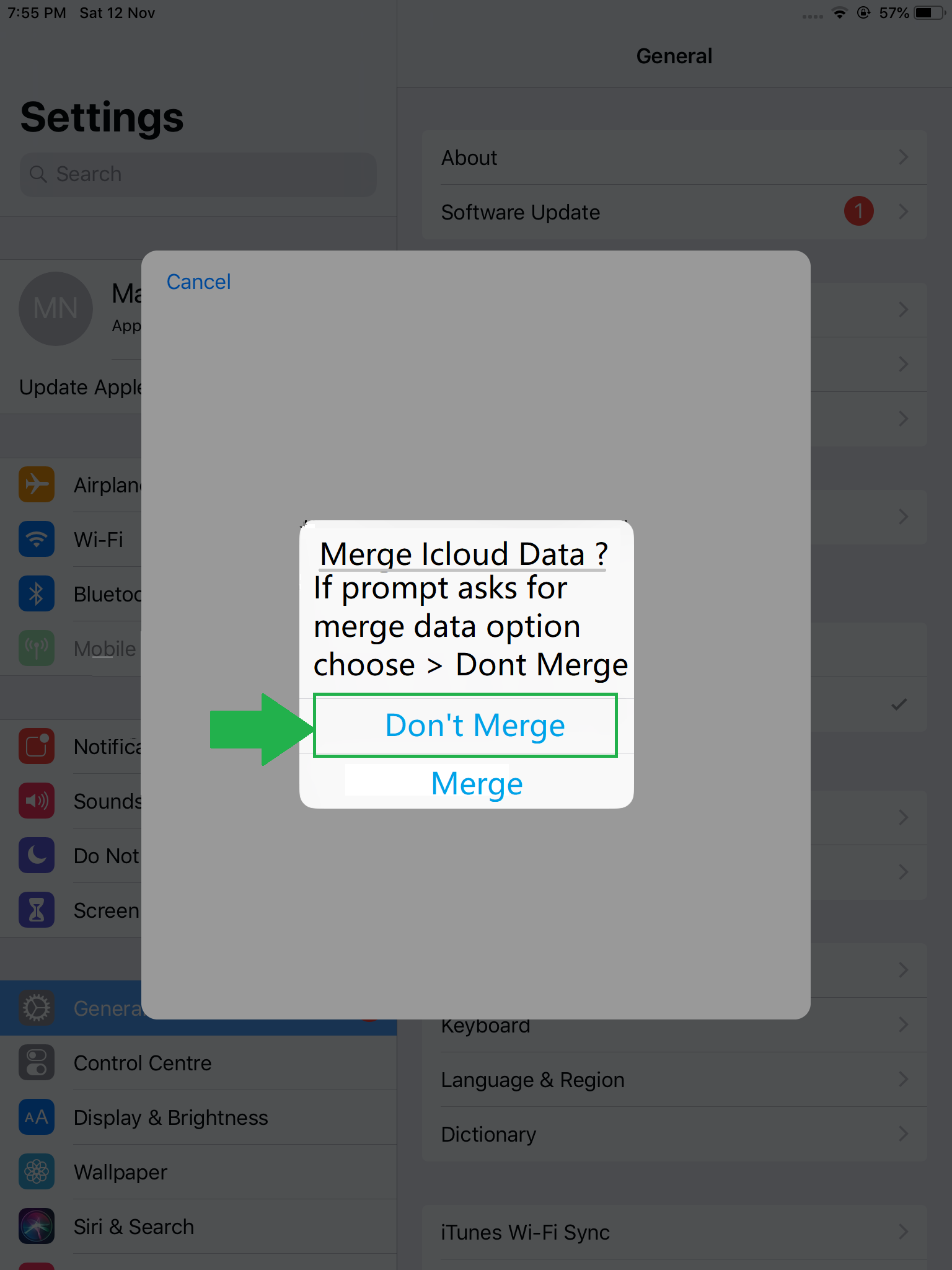
Prompt: merge icloud? -> Select "Do Not Merge" and
-> Go to Apple App Store
Step 12 of 12
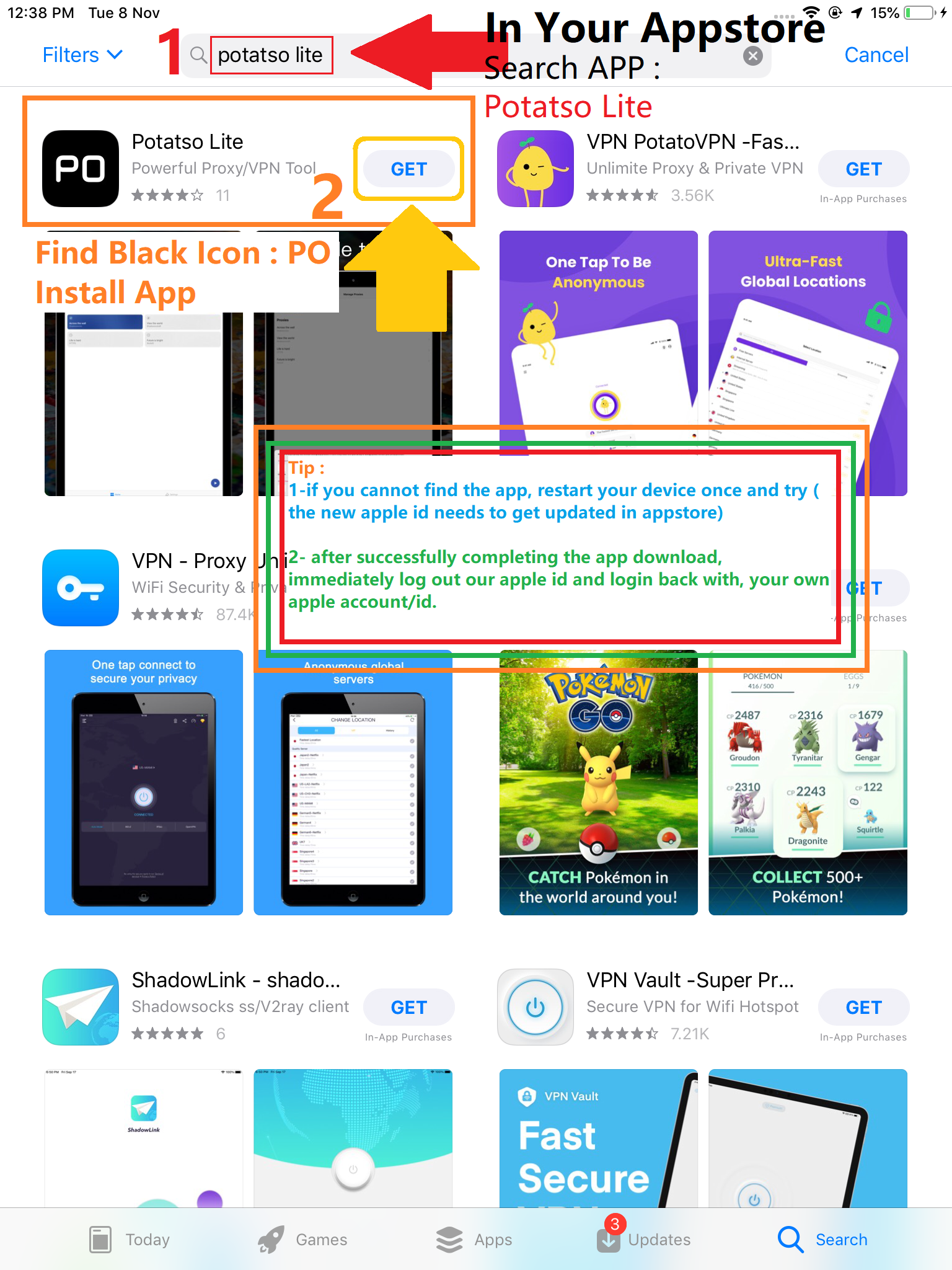
Open App Store -> Search app "Potatso lite" and install -> (done!)
re-login with your own Apple id