Quick navigation
- 1) Download APP
- 2) Installation Guide Video
- 3) Installation guide images
- 4) Manual server list refresh
- 5) WhatsApp Voice Call Guide
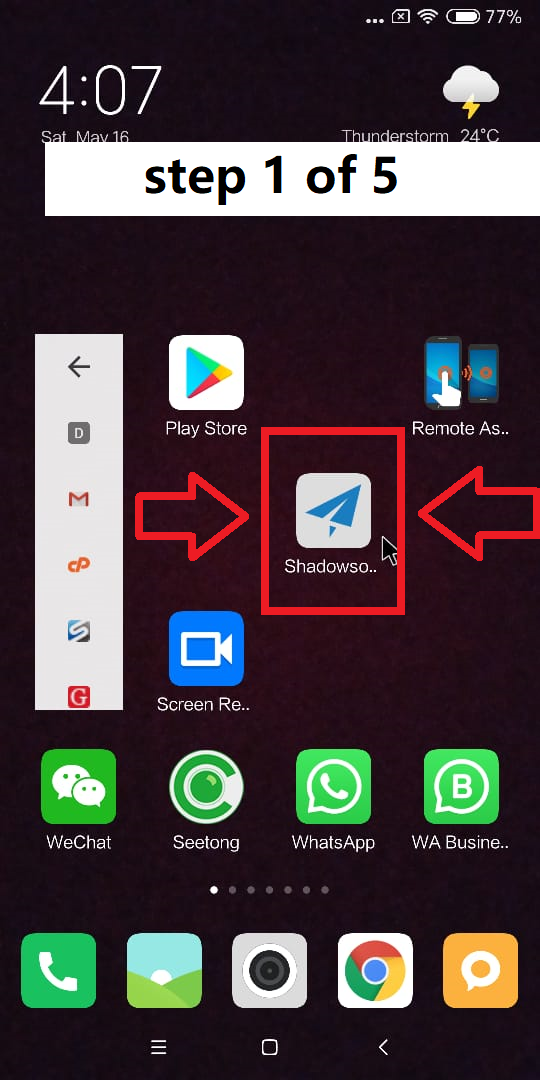
-> Click the icon to open the application
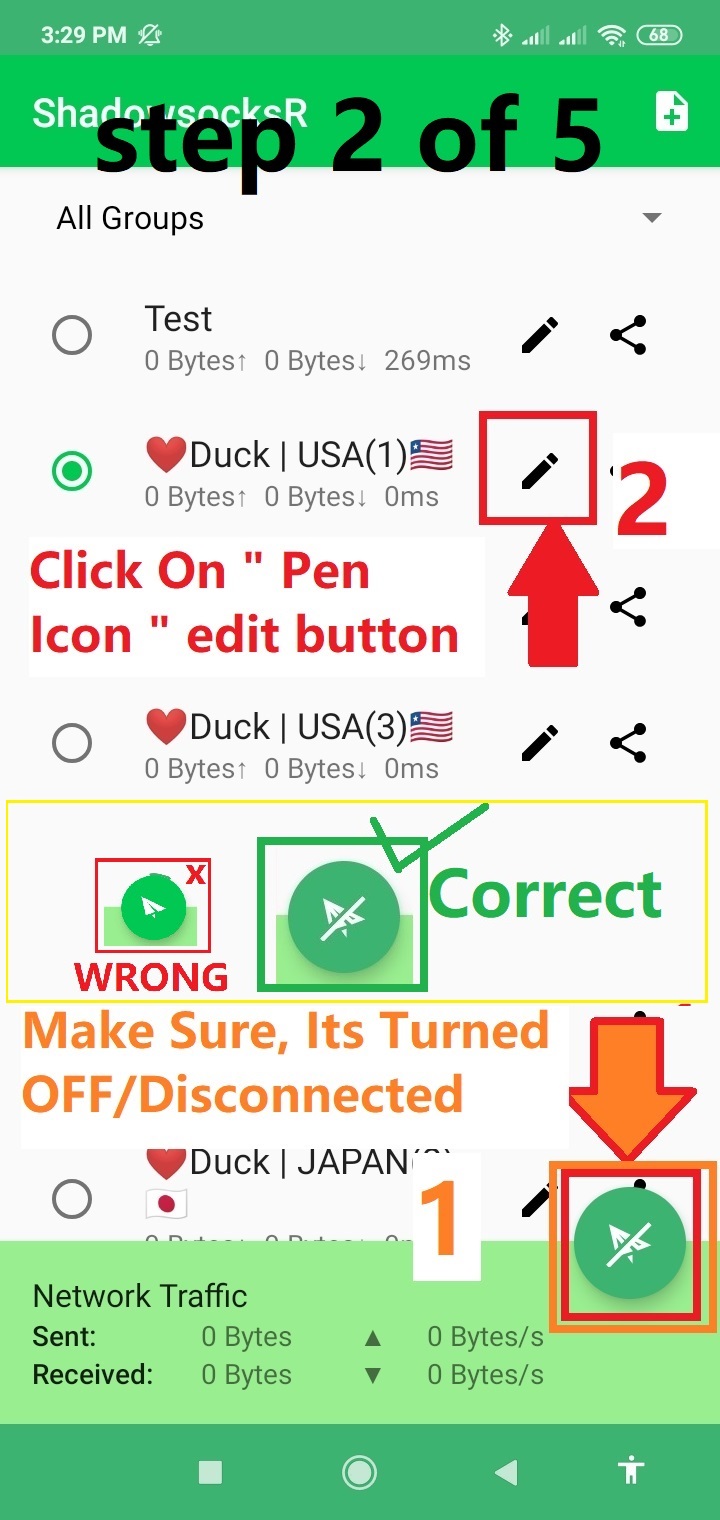
Make Sure server is disconnected/TurnedOFF -> Click the "Pen Icon" edit button
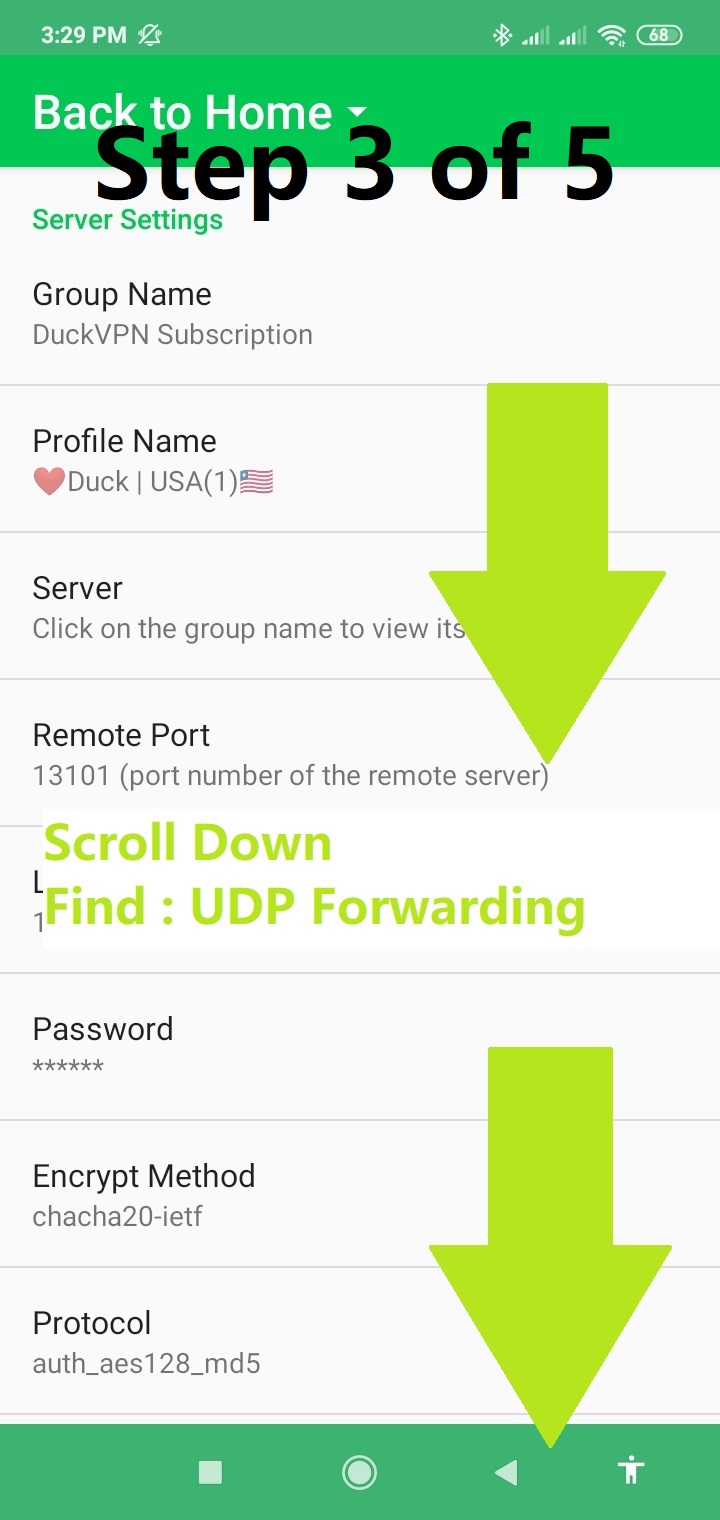
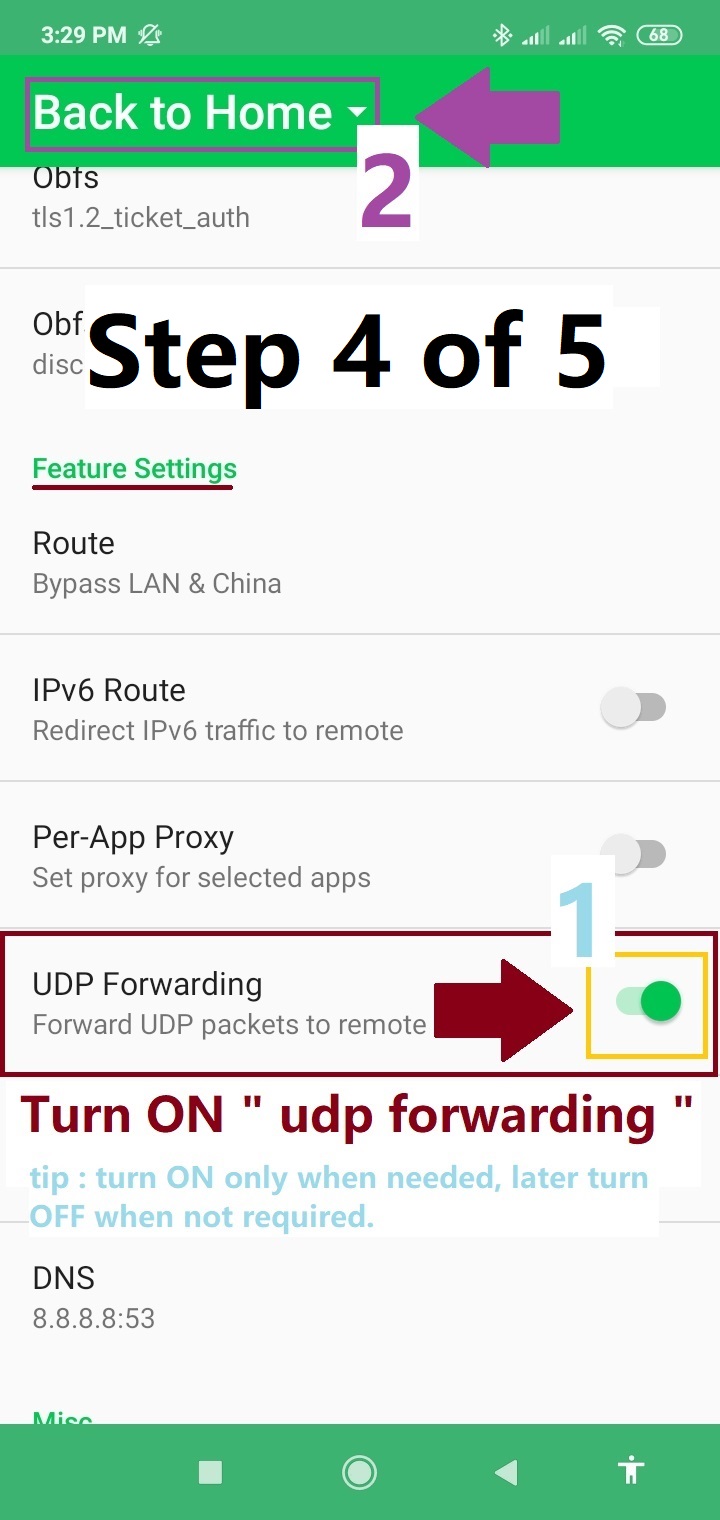
-> Scroll down to find "udp forwarding"
-> Turn on "udp forwarding", -> then return to the main page of app
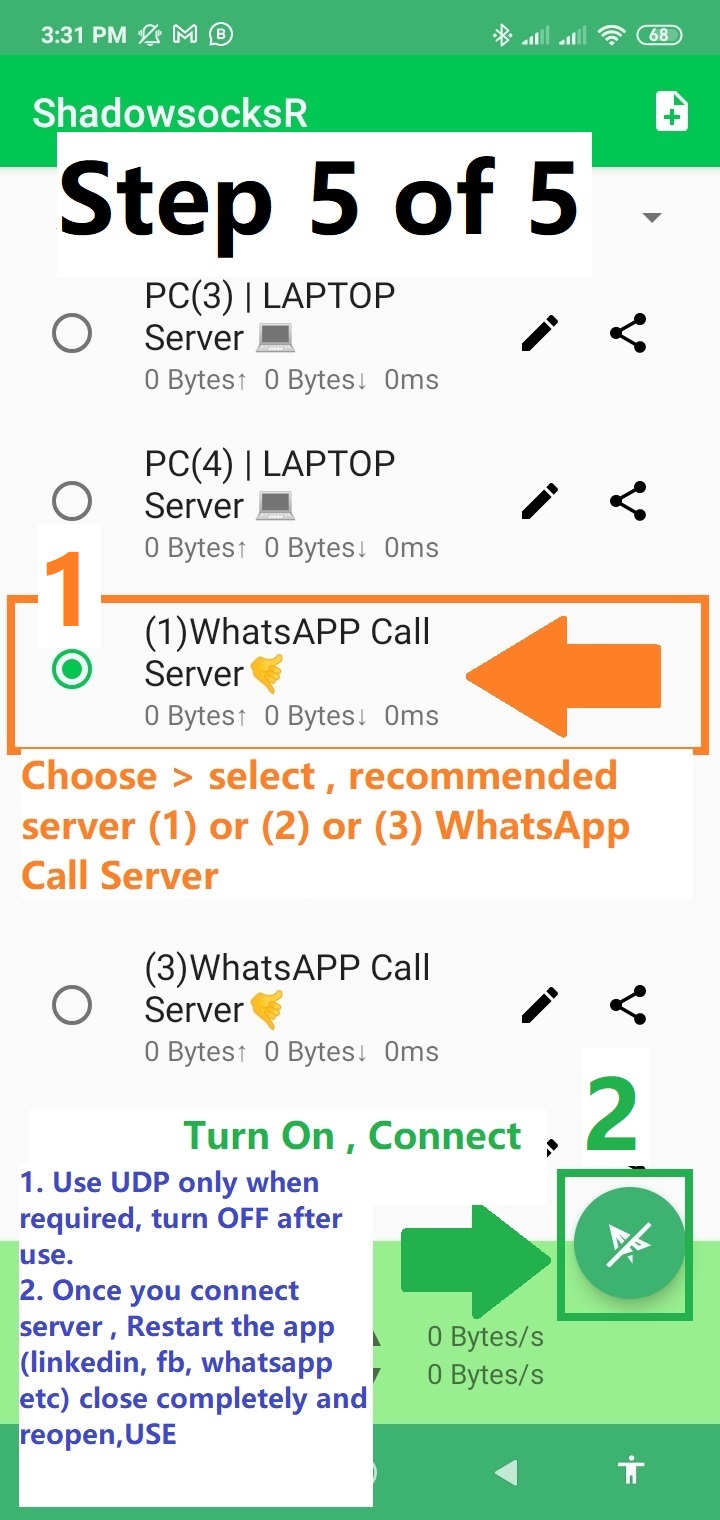
-> Select (1)whatsapp call server, -> connect